Protect your data with strong encryption
When Stuart Burns was told to lurk around the data centre, he brought a packed lunch and his laptop running Ubuntu 24.04.
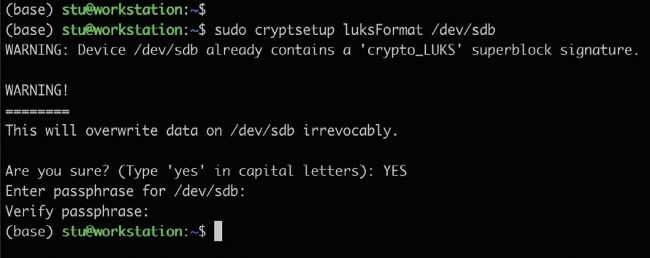
Using the LUKS format parameter to create a LUKS encrypted partition. Do note the note about the capital YES.
This guide assumes your primary installation disk is already encrypted. If this is not the case, you will have to re-install the OS and when the installer gets to the Disk Setup page, select Advanced Features and choose the Encrypt With LVM option. It asks you for a passphrase and offers to set a backup key on the disk being encrypted, to be moved somewhere else later (if you forget the passphrase). Picking a good passphrase is critical. If you want to get nerdy, the EFF has a take on creating a secure passphrase with dice: https://bit.ly/3y2wHGI
It can’t be stressed strongly enough how critical it is to have a backup of this and a good passphrase. Losing it means reinstallation and no chance of data recovery.