Está viendo la página Spain versión del sitio.
Le gustaría cambiar a su sitio local?
Última edición

Windows User Magazine Windows 10 Complete Guide Edición anterior

English
1 Reseñas   •  English   •   Tech & Gaming (PC)
Only €9,99
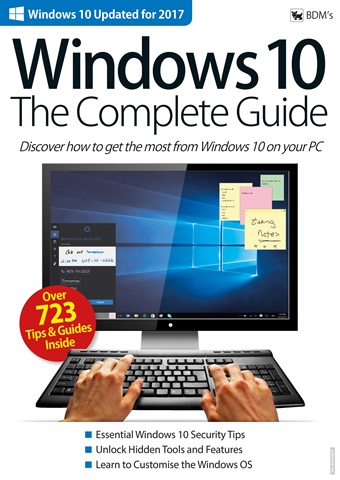
Premium Special Edition. Over 140 pages of high quality content. The only Windows 10 Complete guide you will ever need. 100% Independent.

Windows 10 is about much more than enabling you to browse the Internet or
write that report for work! From humble beginnings, Windows now provides email with free online storage, photo management and editing, one of the best new Internet browsers around, an app store with millions of pieces of software, unique tablet crossover features, interactive maps and navigation, and much, much more. This guide is about taking advantage of these features and more, and discovering how Windows 10 can add to or make your life easier.

Every Update Covered
With every new update to Windows 10, from Anniversary to Creators, adds new features or improves the existing ones. Our guides reflect the changes in every update, showing you all the new things Windows 10 lets you do. So even if you have been using the OS for a while, there are sure to be new things
to learn.

Windows 10 Software Guides
Learn exactly what you can do with key Microsoft products, from editing your favourite photos and saving files to the Cloud, to managing your finances and planning your day. Free Windows 10 software can be used to run a club, write your homework, translate a document, promote your business or simply
chat with friends.

Essential Tips and Tricks
Just about every page of this Guidebook contains useful tips and helpful hints. From ways to stay safe on the Internet and how to create a Microsoft account, to sharing a photo with and customising your Start menu. There is lots to discover, especially if you have never used Windows for anything more than browsing online.

read more read less
Windows User Preview Pages Windows User Preview Pages Windows User Preview Pages Windows User Preview Pages Windows User Preview Pages

Windows User

Windows 10 Complete Guide Premium Special Edition. Over 140 pages of high quality content. The only Windows 10 Complete guide you will ever need. 100% Independent. Windows 10 is about much more than enabling you to browse the Internet or write that report for work! From humble beginnings, Windows now provides email with free online storage, photo management and editing, one of the best new Internet browsers around, an app store with millions of pieces of software, unique tablet crossover features, interactive maps and navigation, and much, much more. This guide is about taking advantage of these features and more, and discovering how Windows 10 can add to or make your life easier. Every Update Covered With every new update to Windows 10, from Anniversary to Creators, adds new features or improves the existing ones. Our guides reflect the changes in every update, showing you all the new things Windows 10 lets you do. So even if you have been using the OS for a while, there are sure to be new things to learn. Windows 10 Software Guides Learn exactly what you can do with key Microsoft products, from editing your favourite photos and saving files to the Cloud, to managing your finances and planning your day. Free Windows 10 software can be used to run a club, write your homework, translate a document, promote your business or simply chat with friends. Essential Tips and Tricks Just about every page of this Guidebook contains useful tips and helpful hints. From ways to stay safe on the Internet and how to create a Microsoft account, to sharing a photo with and customising your Start menu. There is lots to discover, especially if you have never used Windows for anything more than browsing online.


SELECCIONAR FORMATO:
Acceso instantáneo

Ofertas digitales disponibles:

Ejemplar digital único Windows 10 Complete Guide
 
9,99 / issue
Disponible con
Pocketmags Plus
Suscripción de lectura ilimitada
 
Obtenga acceso ilimitado a Windows User y más de 600 grandes títulos. Se renueva en €11,99 / mes después de 30 días. Cancele en cualquier momento. Más información
Este número y otros números atrasados no se incluyen en un Windows User suscripción. Las suscripciones incluyen el último número de la revista y los nuevos números publicados durante el periodo de suscripción. €3,00 por número . Si desea suscribirse, consulte nuestro Opciones de suscripción
Los ahorros se calculan sobre la compra comparable de números sueltos durante un periodo de suscripción anualizado y pueden variar respecto a los importes anunciados. Los cálculos son meramente ilustrativos. Las suscripciones digitales incluyen el último número y todos los números regulares publicados durante su suscripción, a menos que se indique lo contrario. El periodo elegido se renovará automáticamente a menos que se cancele en el área Mi cuenta hasta 24 horas antes del final de la suscripción actual.

Windows User issue Windows 10 Complete Guide

Windows User  |  Windows 10 Complete Guide  


Premium Special Edition. Over 140 pages of high quality content. The only Windows 10 Complete guide you will ever need. 100% Independent.

Windows 10 is about much more than enabling you to browse the Internet or
write that report for work! From humble beginnings, Windows now provides email with free online storage, photo management and editing, one of the best new Internet browsers around, an app store with millions of pieces of software, unique tablet crossover features, interactive maps and navigation, and much, much more. This guide is about taking advantage of these features and more, and discovering how Windows 10 can add to or make your life easier.

Every Update Covered
With every new update to Windows 10, from Anniversary to Creators, adds new features or improves the existing ones. Our guides reflect the changes in every update, showing you all the new things Windows 10 lets you do. So even if you have been using the OS for a while, there are sure to be new things
to learn.

Windows 10 Software Guides
Learn exactly what you can do with key Microsoft products, from editing your favourite photos and saving files to the Cloud, to managing your finances and planning your day. Free Windows 10 software can be used to run a club, write your homework, translate a document, promote your business or simply
chat with friends.

Essential Tips and Tricks
Just about every page of this Guidebook contains useful tips and helpful hints. From ways to stay safe on the Internet and how to create a Microsoft account, to sharing a photo with and customising your Start menu. There is lots to discover, especially if you have never used Windows for anything more than browsing online.

Seguir leyendo leer menos
Windows User takes high quality content from expert design and editorial teams to produce the ultimate Windows 11 magazine. Windows User Magazine brings you the very best reviews and technical help for your Windows powered desktop, tablet and laptop. This is the publication you will need to keep on top of the must know software and hardware information and technical help from our team of Windows experts. If you use Windows you need to click subscribe. 100% unofficial.

omo abonado recibirá las siguientes ventajas:


•  Un descuento sobre el PVP de su revista
•  Las nuevas ediciones se envían a tu dispositivo el día de su lanzamiento
•  Nunca te perderás un número
•  Estás protegido de las subidas de precios que puedan producirse más adelante en el año

Recibirás 4 problemas durante un año Windows User suscripción a la revista.

Nota: Las ediciones digitales no incluyen los artículos de portada ni los suplementos que encontraría en los ejemplares impresos.

Su compra aquí en Pocketmags.com puede leerse en cualquiera de las siguientes plataformas.


Puedes leer aquí en el sitio web o descargar la aplicación para tu plataforma, sólo recuerda iniciar sesión con tu nombre de usuario y contraseña de Pocketmags.

Apple Pocketmags Online Pocketmags Google Pocketmags
La aplicación Pocketmags funciona en todos los dispositivos iPad y iPhone con iOS 13.0 o superior, Android 8.0 o superior y Fire Tablet (Gen 3) o superior. Nuestro lector web funciona con cualquier navegador compatible con HTML5, para PC y Mac recomendamos Chrome o Firefox.

Para iOS recomendamos cualquier dispositivo que pueda ejecutar el último iOS para un mejor rendimiento y estabilidad. Los modelos anteriores con especificaciones de procesador y RAM inferiores pueden experimentar una renderización de páginas más lenta y fallos ocasionales de la aplicación que están fuera de nuestro control.
5,0
/5
Basado en 1 Opiniones de los clientes
5
1
4
0
3
0
2
0
1
0
Ver comentarios

Complete Guide to Windows 10 desktop

Complete Guide to Windows 10 desktop, it's hear to stay for the time being so why not learn more about it, tricks and hack, apps and streamlining your desktop experience. Revisado 12 agosto 2020

Artículos de este número


A continuación encontrará una selección de artículos en Windows User Windows 10 Complete Guide.

Chat
X
Soporte Pocketmags