Genius Bar
Our Apple devices and the software on them are some of the finest products on the planet, but even they have their moments. We’re here to give you expert advice and get you back up and running in no time
Contact us today
Facebook iCreateMagazine
Twitter @iCreateMagazine
Instagram icreate_mag
Email icreate@futurenet.com
Glossary
The place to come for key terms made easy
Hot Corners
On Mac you can use the corners of the screen as hot corners, to quickly star t ac tions when you move the pointer to a corner. For example, you can star t the screensaver when you move the pointer to the top-lef t corner of the screen.
Magnifier
With Magnifier, you can turn your iPhone or iPad into a magnifying glass to zoom in on and detectobjects near you. Type “magnifier” into your App Library to find it and be sure to explore the in-app set tings to turn on other cool features.
Predictive text
This is an option on your iPhone that automatically changes unrecognised words to suggested alternatives. Go to Settings>General> Keyboard>Predictive to turn it on or off. You will also find the ‘Auto-Correction’ option here.
macOS Finder
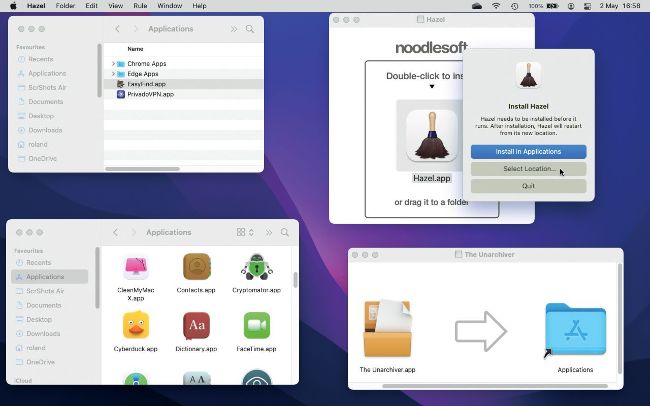
• Image credit: Apple Inc
How can I install an app on my Mac so that only I can use it, not everyone else? Paul Hutchinson
1 Go Home
If the app that you are installing asks you to drag an icon to the Applications folder, don’t! Instead open a Finder window and then click on your Home folder in the sidebar.