Answers
Got a burning question about open source or the kernel? Whatever your level, email it to lxf.answers@futurenet.com
Neil Bothwick
is Dr Tux to you! Fixing all problems dead(ish)!
Q
Where is sda?
I recently bought an Intel NUC computer running Ubuntu_20.04. The Disks utility, or df -h shows /dev/ nvme0n1p2 as the volume where I expected /dev/hda. Otherwise things are normal. Could you advise me if I need to do anything?
MikeJones
A
The short answer is that you don’t need to do anything – this is quite normal. In Linux, disk devices are named according to the interface through which they’re connected. In the days of IDE drives this was indeed /dev/hda,b,c. SATA drives used /dev/sda, and in fact IDE drives – if you could find one – now also show up as /dev/sd* because they use the SATA code.
However, SATA is, for want of a better phrase, old hat and we have a new drive interface. The physical interface is M.2, which looks a little like a mini-PCI interface. While it can be used for many things, the most popular use is to connect SSD cards. There are then two types of logical interface between the M.2 connector and the SSD drive. One is AHCI, the default SATA interface.
The M.2 drive in my laptop uses this and so the disk appears as /dev/sda. This is a highly compatible way of communicating with the drive. Everything has supported AHCI/SATA for years; however, it’s limited to SATA speeds. The other type of logical interface is NVM Express (NVMe). This author has an NVMe interface in their desktop workstation and it’s much faster.
So your root partition is on an NVMe disk, which is a good thing. The naming seems more complex than the old /dev/ sd*, but it has a logic and consistency to it. The first, or only, NVMe controller in your computer is /dev/nvme0. This is followed by the number of the device, so the first device is /dev/nvme0n1 (don’t ask why controllers are counted from zero and devices from one – it’s just one of ‘those things’).
Finally, we have the partition number. p2 is the second partition on the device (we suspect p1 is a boot partition). This might come across as a more complex way of naming, but it means that you know what device is where by separating the specification of the controller from the devices that are on it.
Anyway, the good news is that everything is perfectly fine and you should have a nice, fast SSD.
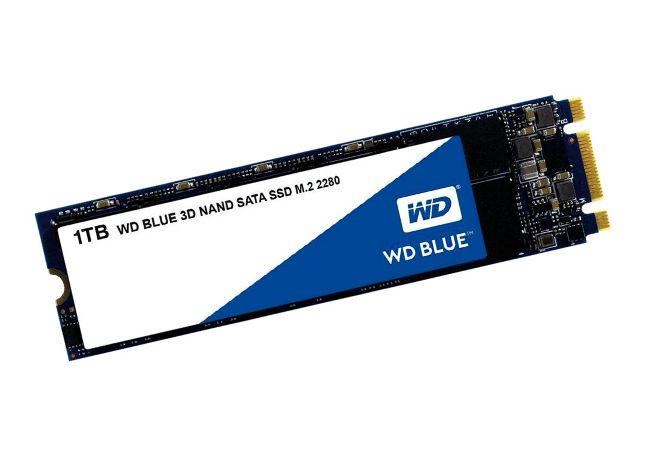
NVMe drives are more than SSDs in a small form factor. Their interface is also faster than SATA drives.