Bulletin boards
Retro fix: Dial in to the bulletin board scene
ELECTERM
Before the internet, there was an earlier dial-up network where people could communicate. Michael Reed investigates this retro online scene.
OUR EXPERT
Michael Reed was 2:2502/11.2 on the local (Hull) FidoNet scene, a keen BBS user in his youth!
It’s difficult to say exactly when the internet was born as it evolved from an earlier set of networks and protocols. However, other networks evolved in parallel. Before most people had heard of the internet, some hobbyists used a modem to connect to a computer running a bulletin board system (BBS). Let’s have some fun and see how you can still play around with these systems and how they worked.
By the mid-’80s, if you had a home computer and modem, you’d be spoiled for choice, as nearly every town had BBS systems that you could dial up and connect to. Typically, they offered an interactive text-mode interface, and later they featured colourful block graphics using a system called ANSI.
What could you do on such a system? Once you had connected and logged in, you could read news bulletins, download and upload files, and interact on the forums. FidoNet was the most popular of these forum systems, and it used a network of BBSes to pass the messages from one system to another, meaning that in the ’80s and ’90s, you could engage in conversations with fellow nerds around the world.
For many, BBSes led to their first experience with Linux. If you were willing to block up your phone line for multiple nights, you could download a Linux floppy disk set, and use the forums to find out how to use it.
The explosion of cheap internet dial-up access in the mid-’90s largely killed off the bulletin board scene, but there are still a few BBSes up and running that you can connect to now (ironically) via the internet. You can even set up your own BBS if you want to.
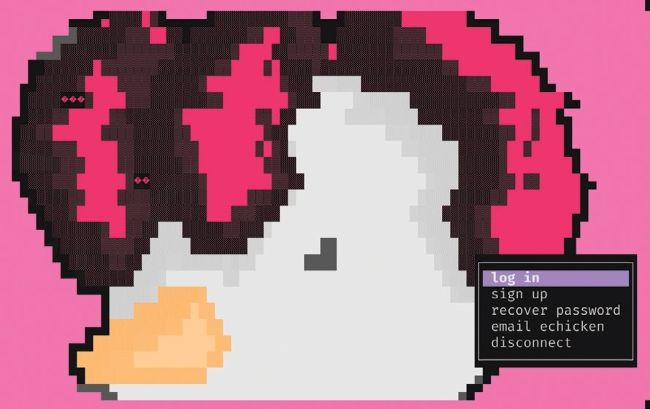
Logging into the Electronic Chicken BBS with a username and password.
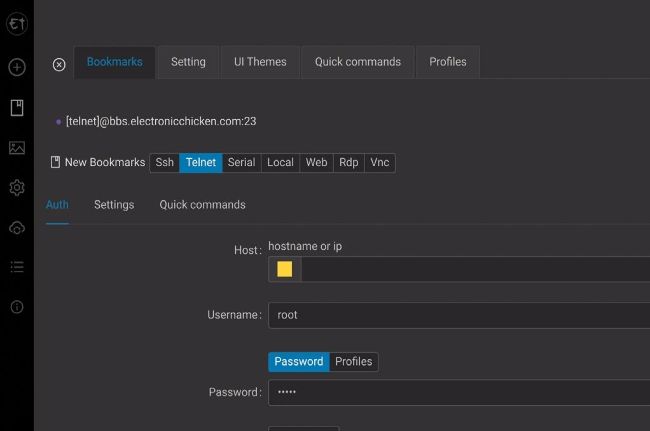
Electerm is a modern app that allows connection to BBS systems via Telnet.
The history of the BBS
Early on in the history of computing, people started connecting computers together. The dumb terminal was part of the landscape in the mainframe era of the ’70s, for example. Due to the awesome cost of huge mainframes, it made sense to give access to multiple users at once. A dumb terminal is a keyboard and a display mixed with a modicum of computing power and not much else. Like Linux, mainframe OSes of the ’70s typically had multi-user and timeshare facilities, so more than one terminal could be connected at once. Once the people managing the computers had multiple users in the same building accessing a larger, server computer, the next step was to implement access from outside. This is where the modem (MODulator/DEModulator) came in. A modem does two things: it converts computer data into an audio signal that can be transmitted over a phone line, and it converts such an audio signal back into computer data. With computer resources being scarce and expensive, it made sense to offer mainframe services to sites equipped with just a modem and a dumb terminal. When home computers became affordable, modems for home users appeared on the market. If you connected via a modem and phone line, you didn’t need a powerful computer; anything with a text-mode display, keyboard and serial port could be used.