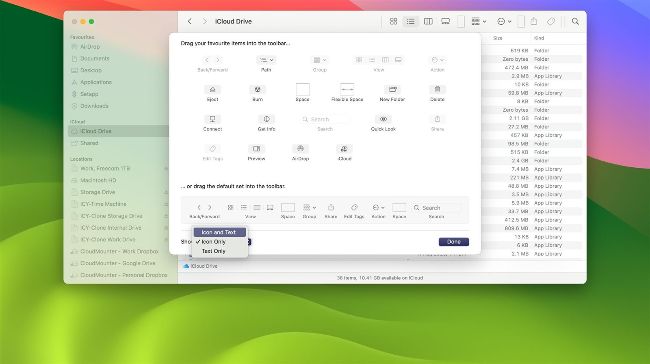
Customise the Finder Toolbar to suit the way you work on your Mac.
Keyboard shortcuts
> Cut
Highlight what it is you want to cut and press Cmd+X
> Copy
Highlight what it is you want to copy and press Cmd+C
> Paste
After cutting or copying, press Cmd+V
> Print
With the file you’re printing active, press Cmd+P
> Save
Press Cmd+S
> Save As
Press Shift+Cmd+S
> Open a document
Press Cmd+O
> Create a new document
In Finder, press Cmd+N
> Create a new folder
In Finder, press Shift+Cmd+N
> Hide the active app
Press Cmd+H
> Hide all apps except the active app
Press Opt+Cmd+H
> Change Finder View
Press Cmd+1, Cmd+2, Cmd+3 or Cmd+4
> Activate/ deactivate Stacks
In Finder, press Ctrl+Cmd+0
> Open Settings
In an app or Finder, press Cmd+’,’