Camera+ Studio
Develop Raw files with precision in this slick digital darkroom
£16.99 FROM LateNiteSoft, latenightsoft.com NEEDS Requires macOS 11.1 or later
Clarity PRO enables Camera+ Studio to reveal detail without exaggerating existing noise
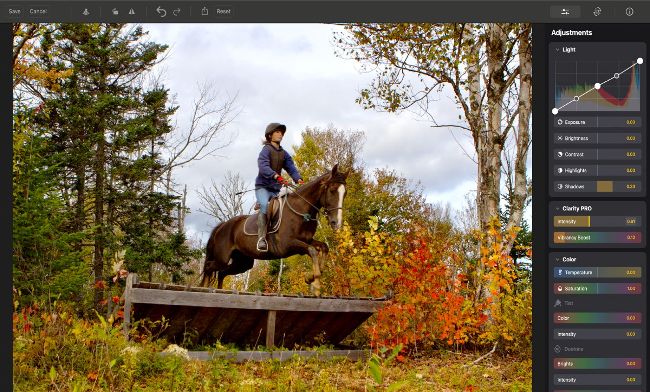
The Clarity PRO panel quickly creates a print with more punch by revealing detail and creating vibrant colours.
Camera+ Studio is the macOS sister app of the popular iOS app Camera+ 2. Camera+ 2 is a camera and digital darkroom combined, whereas macOS Camera+ Studio focuses on editing your photos’ colours, tones and composition.
As it can be a fiddle to edit Raw files on the go via the iPhone’s comparatively small display, Camera+ Studio gives you access to a suite of Raw editing tools from the comfort and convenience of your Mac’s larger screen (and it will of course edit JPEG and HEIF files too).
Before we delve into detail on Camera+Studio’s editing features, it’s worth looking at the overall Camera+ workflow. Once you snap a shot using Camera+ 2 on your iPhone, you can edit and share it from within the Camera+ 2 app, or save it to the iPhone’s native Photos app. If you sync your pictures between your iPhone and Mac using iCloud, you can view your Photo Library (including all your albums) directly from within the Camera+ Studio workspace.