ARTIST Q&A
Practical tips and tutorials from pro artists to improve your CG skills
Maya Jermy
Maya is a 3D artist and animator based in the UK. She started her career in 2012 remaking and animating characters for Oddworld: Abe’s Oddysee - New ‘n’ Tasty.
mayajermy.artstation.com
Mike Griggs
Mike Griggs is a 3D and visual effects artist with vast experience across the industry, as both a creator and a technical writer.
www.creativebloke.com
Antony Ward
Since the early 90s Antony has worked for many of today’s top game and VFX studios, and has written three technical manuals and many online tutorials.
www.antcgi.com
Pietro Chiovaro
Pietro is an Italian 3D artist who creates 3D assets and environments, and is currently working on an open-source game.
pietrochiovaro.artstation.com
GET IN TOUCH
EMAIL YOUR QUESTIONS TO
rob.redman@futurenet.com
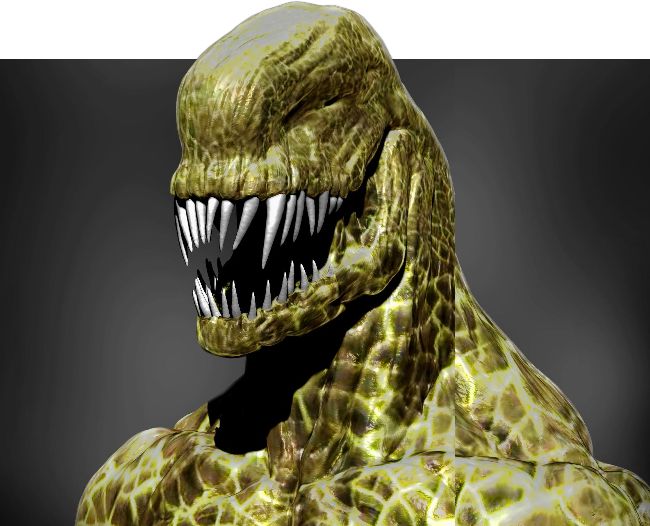
The ZAppLink plugin enables easy integration with external image editors like Photoshop
SOFTWARE: ZBRUSH| PHOTOSHOP
WHAT IS ZAPPLINK?
Ricky Pearson, Glasgow
Maya
Jermy
replies
There are so many ways to create textures and all artists have their own preferred way to do it. Whether you texture your models directly in ZBrush or any other software, you want the process to be as smooth as possible. The less hiccups on the way, the better.
Pixologic provides us with a nice little plugin, ZAppLink, which enables users to export a model out of ZBrush and into your favourite image editing software. It skips the whole part where you need to export maps or entire OBJ, making it super easy and efficient. ZAppLink is very useful when creating quick designs, because it takes just a minute or two to have the painting process complete. It is a built-in plugin that seamlessly integrates almost any image editing software.
There are two ways in which you can use the plugin. One requires a UV map, the other does ynot. What ZAppLink does is flattens the 3D image snap, sends it to a designated software and on return projects the new texture onto the model. You could compare it to the Spotlight in ZBrush but based on a 2D image. No UV map is required for that, because it is essentially a flat image and you can always create a new texture from Polypaint. Option two with the UV map, ZAppLink will take a still snap of the model and you will still be able to paint directly on it, but it will also apply those changes directly to the texture map. It is a much better way to texture in Photoshop rather than texturing directly on a UV map and not have the seams meet and fit as expected. Let’s take a closer look at how it works.