DOCKER
Getting to grips with Docker
People think of Docker as a server-room only tool, but as Michael Reed demonstrates, the platform has a lot to offer the general user, too.
Credit: www.docker.com
OUR EXPERT
Michael Reed has been playing around with Linux since first trying Slackware back in 1996.
QUICK TIP
Go to https:// hub.docker.com, click Explore and check out the fascinating array of premade images. The Hub is organised into categories, so you should be able to find anything that you’re looking for, or perhaps, you’ll come up with some crafty ideas you’d never considered before?
This month’s tutorial will hopefully show you that Docker is nothing to be afraid of, and once it’s installed you can start doing some cool stuff using just a handful of commands. You can use it for hosting your own servers, but it’s also handy for quickly summoning up an isolated shell for experimentation. For the uninitiated among you, let’s get into what Docker is and why it’s such a useful tool for all Linux users.
Docker manages so-called containers. These containers are sandboxed processes that seem, to the applications and services within them, to be complete Linux systems. So far, this might sound like we’re describing virtual machines (VMs), but there are important differences between containerisation and virtualisation. In the case of virtualisation, the virtualiser emulates the hardware of an entire computer, and this is resource intensive.
With containerisation, a process contains the applications and services, and is separated from the rest of your system. By employing the features of the CPU and the Linux kernel, the host system is protected from whatever’s going on inside the container. You’re typically running the container as a normal user rather than as the system super-user, despite the fact you’re doing things like editing system files and installing Linux packages within the container.
This approach takes a lot of the stress out of experimenting with servers and other projects, because containers mean you don’t have to make any changes to your host system. Docker containers are fast to deploy and use as well. If you know the right command, you could set up a shell in a fresh container and have it up and running in a few seconds.
Beyond security and speed of deployment, there are other advantages of containerisation such as performance benefits. Imagine an application, perhaps a server, that requires around, at peak, 500MB of RAM to run. If this is running inside a virtual machine, the virtualiser has to emulate an entire computer running an operating system of its own. However, when using a Docker container instead of a virtual machine, the memory overhead would consist of merely the application itself along with its dependencies and a small amount for the container.
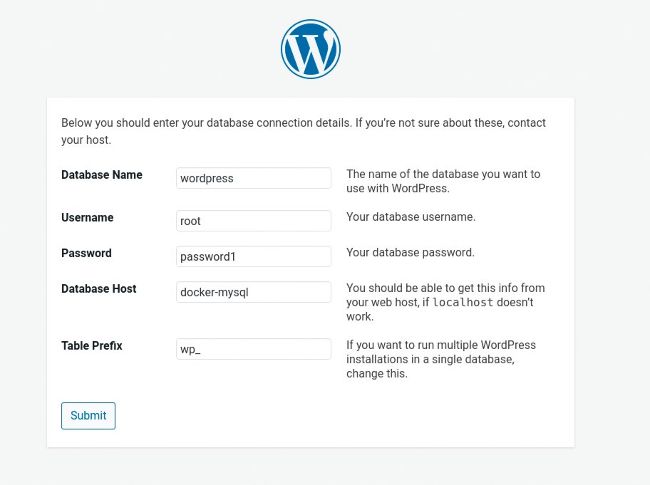
The WordPress installation page. Docker is an excellent environment for hosting a content management system (CMS) such as WordPress.
The final important Docker concept we’re going to cover here is that of packaging images. You can customise the environment inside a container and install software, as with any other Linux environment, and then package it. This makes it possible to make a useful setup available to other people, via the cloud or file downloads, and then it can be deployed, by them, with a single command. But before we get onto the heady heights of doing that (and we will), let’s play around with Docker itself…