TUTORIALS Back up your Pi
Back up and clone your Raspberry Pi
BACKUPS
From disk cloning to backing up specific directories and partitions, keeping your Pi backed up saves time and heartache, says Christian Cawley.
OUR EXPERT
Christian Cawley is known as The Gadget Monkey because he eats a banana for breakfast, microwave chips for his lunch, and a Raspberry Pi for dinner.
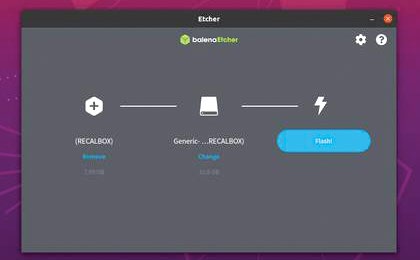
Rather than fiddle around with the dd command in the terminal, you can clone Raspberry Pi SD cards with Etcher.
While a flexible, affordable and much-loved piece of computing hardware, the Raspberry Pi isn’t without its problems. One particular bugbear is the device’s reliance on flash storage – potentially unreliable SD and microSD cards that are prone to data corruption following an unscheduled shutdown or restart.
One way to avoid this is to ensure that the Pi is shut down carefully. But it also pays to have a backup of your data, just in case the worst happens. Raspberry Pi has several options for backup, from cloning the microSD card to remotely backing up over SSH.
Clone Wars
The ability to switch Raspberry Pi projects simply by swapping microSD cards means that if a card is found to be corrupt, you can easily flash an image of its contents to a replacement. Cloning the SD card is a smart option that enables you to keep a library of readyto-use Raspberry Pi images on your PC’s hard drive, ready for deployment.