V LANGUAGE
Discover the all-new V language
There’s nothing Mihalis Tsoukalos enjoys more than a single-letter programming language, so let’s code some command line tools in V.

OUR EXPERT
Mihalis Tsoukalos is a systems engineer and a technical writer. You can reach him at www.
mtsoukalos.eu and @mactsouk.
No, V isn’t a fan fiction release of the famous 1980s TV series. Instead, it’s a fast, modern, open source, statically typed compiled programming language. V can be used in various areas including web development, systems programming, embedded programming, graphical user interfaces and mobile development. So, all the usual then!
You can install V on an Arch Linux system that uses paru by running paru -S vlang with root privileges. Use your favourite package manager to install V on your own Linux distribution or follow the instructions found at the GitHub repository of V for a manual installation (see https://github.com/vlang/v). The name of the V compiler is just v. You can discover the version of V you’re using by running v --version on your Linux shell. V source code files have the .v file extension.
Running V code
Let’s kick things off by learning how to run V code. In order to do that we need a small source code file, which is going to contain the following code and is called hw.v:
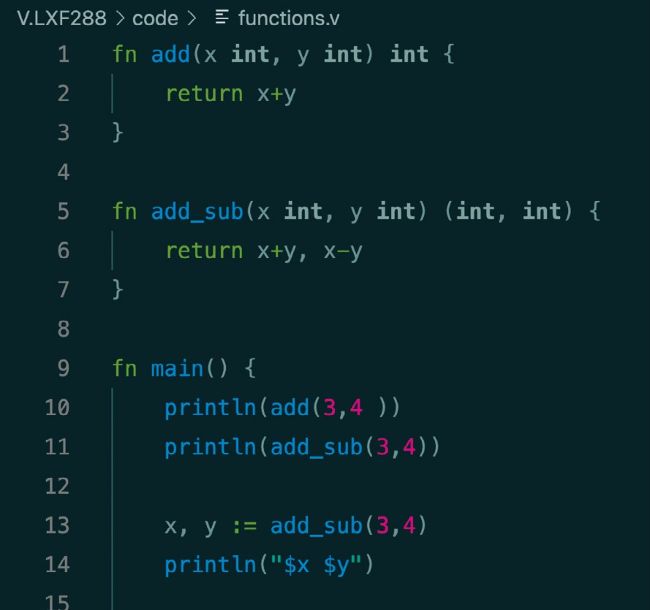
Here’s the V code of functions.v that illustrates the implementation and use of functions as well as the use of the _ character for ignoring certain return values of a function call.
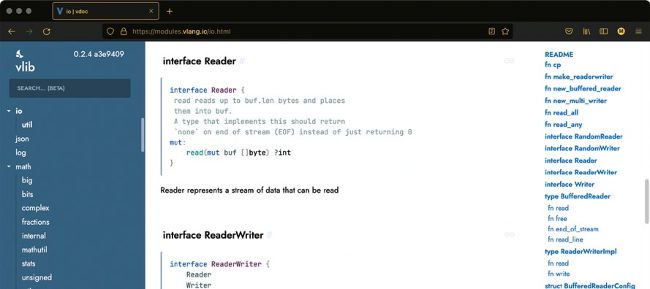
This screenshot shows a small part of the official V site that contains the documentation of the standard V library – in this case a small part of the documentation of the io module.
Before executing the code, we need a quick explanation. The previous code defines a function called main() , which when present is the entry point to aV program. The println() function is used for printing on screen. Additionally, V uses curly braces for defining blocks of code, including function implementations. Finally, V doesn’t require semicolons after each statement. The module main line defines the name of the module, which in this case can be omitted because this is a simple program. In our case, even the main() function can be omitted – we just need the println() call. Comments in V are lines that begin with // .
As far as executing aV source code file is concerned, we have two options. Compile it, then create an executable binary file and execute that file. Alternatively, let the V compiler compile, execute the code and do the necessary cleanup transparently in one step. For the first method, we run v hw.v and then type ./hw . For the second method we just execute v run hw.v – in this case, the executable file is automatically created, executed and deleted by the compiler. Running hw.v using either way produces the expected output, which is the Hello Linux Format! message.