Ubuntu 23.04 Lunar Lobster
Nate Drake finds this Lobster Linux to be a snappy dresser, with the stunning latest version of Gnome and improved settings.
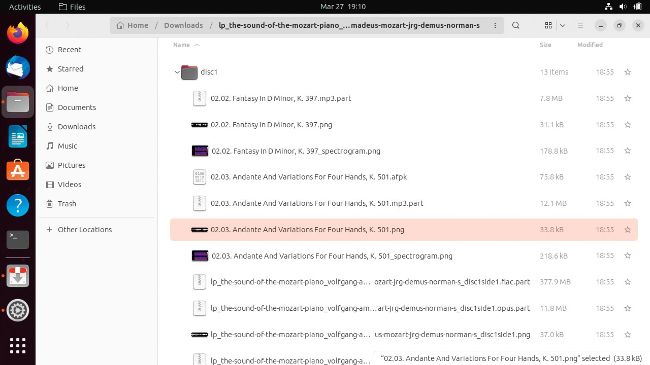
Files now supports displaying folder contents when in list view. You can also easily change icon size from settings.
IN BRIEF
Ubuntu 23.04 has a cracking Gnome-based outer shell with improved tweaks so you can get your claws on it easily. Canonical hasn’t been shellfish with the improved kernel and security upgrades.
SPECS
CPU: 2GHz (dual-core) Mem: 4GB HDD: 25GB Builds: x86_64, ARM64
At the time of writing (early April 2023), the final freeze of Ubuntu 23.04 (Lunar Lobster) is set for 20th April, but we have sifted some nuggets of useful info about new features by test-piloting the latest daily build.
If installing the OS from scratch, you’ll notice that Ubuntu has a new installer, based on Flutter. Not only does it include a Wi-Fi connection wizard but it’s also much easier to navigate new features. Just click the sliding arrow as the installer’s underway to see what’s available.
Before getting into that, it’s also worth discussing what’s not available. As of version 23.04, installation of packages using Flatpak is no longer supported by default. This doesn’t apply to anyone who upgrades their existing Ubuntu install. Flatpak support is also very easy to enable manually (see the boxout right). Post-install, you have the chance to enjoy the new Gnome 44 desktop environment in all its glory. Some of the changes are subtle but also very useful; for instance, when we opened the grouped network, sound and power Quick Settings menu, we were delighted to see captions beneath the icons, explaining what each does.