IN DEPTH WordPress vs Wix
WordPress vs Wix
Running a website needn’t be a technical challenge. Nik Rawlinson compares the two leading platforms that can help anyone create and manage their own pages.
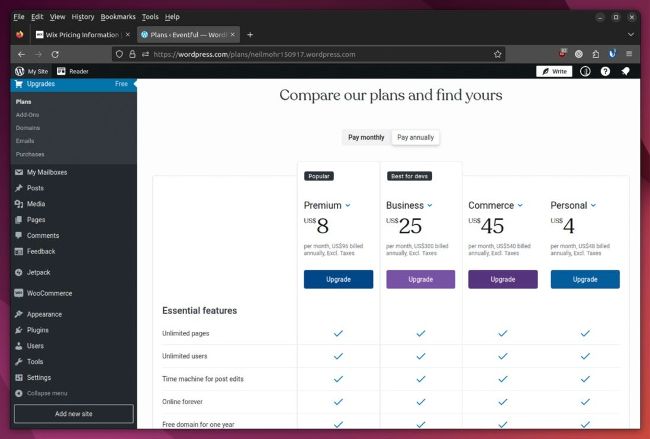
You can host WordPress for free on your own domain or as a subdomain of
WordPress.com – or opt for a paid plan with more features.
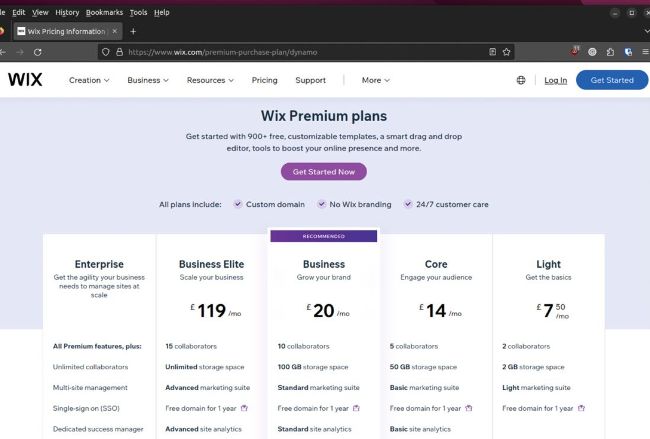
As with WordPress, you’ll need to pay to remove the supplier branding from a Wix site.
We’re continuing our look at running a selfhosted WordPress website on page 60, but publishing a personal website needn’t be costly or complicated. User-friendly platforms such as WordPress and Wix let you publish online for free – you might not even need to pay for web hosting. They give you everything you need to design and populate your site, maintain it and interact with visitors. Nearly half a billion websites are built on WordPress, while over 200 million people use Wix.
But which should you choose? It’s not a case of one being better than the other. They approach the task from different angles. More apt would be to look at the jobs a personal website publisher needs to undertake, to see how each handles them. The best place to start is with hosting, as the choice you make can determine on its own whether WordPress or Wix is right for you.
Hosting options
You can host your site for free as a subdomain of WordPress.com – or if you have your own domain, you can run it there, without paying a penny to WordPress itself. Many web hosts offer one-click deployment of WordPress, and they can also take care of tracking and installing updates to the WordPress software, along with any themes and extensions you’ve installed.
If your host doesn’t offer an option like this, you can upload and configure WordPress yourself. All you need is a server running PHP 7.4 or later, plus either MySQL 5.7 or later, or MariaDB 10.2 or later, which few hosts have trouble with. You need to take care of creating the database and setting up a database user, through a dashboard or a tool like phpMyAdmin, then uploading the WordPress files to the root of the site (or a folder if appropriate), before editing the wp-config.php file so it contains your database login details. You then have full administrative control of the site via the dashboard – and are responsible for making sure your themes and extensions are updated, and managing other tasks like backup and customising the permalink structure.