iOS software
Family Sharing in iOS 16
Sharing stuff with the ones you love is easier than ever
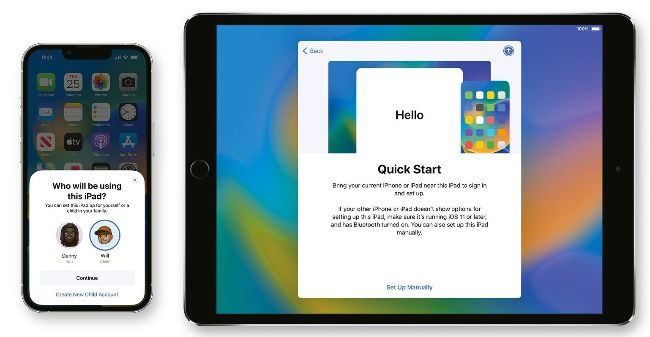
Image credits: Apple Inc
IT WILL TAKE
> 10 minutes
YOU WILL LEARN
> How to use iOS 16’s new sharing features for your family
YOU’LL NEED
> iOS 16 or iPadOS 16
Genius tip!
The same family set-up feature for iPhone and iPad also works for Apple Watch, enabling you to quickly personalise an Apple Watch for a family member.
Apple’s parental control and Family Sharing features are superb, but as they’ve become more comprehensive they’ve also become pretty unwieldy.
iOS 16, iPadOS 16 and macOS Ventura have changed that, with a brand new Family page in Settings that makes everything simpler. Although most of the changes are in Settings, there are some other useful new ones too. Family members’ Screen Time requests are now sent to their parent or guardian via Messages for faster responding, and there’s also a great new feature called Quick Start. If you’ve already added other people in the Family section, the next time you switch on a brand new iPhone or iPad for the first time it’ll ask you who the device is for. Simply choose the appropriate person or create a new child account if it’s somebody new. We put this one to the test with a new iPhone and it set the device up perfectly.