DOCTOR
THIS MONTH THE DOCTOR TACKLES...
>Onboard Sound
>Sleep Resume Issues
>Transfer Setup
Move Windows 10 License
I have three licenses attached to three computers. One is an OEM laptop. The other two are Pro licenses I purchased. It’s time to upgrade one of the Pro machines, which will be a full rebuild, making the jump from an Intel 6700K to AMD. How do I transfer the license? Thanks.
-Painflame
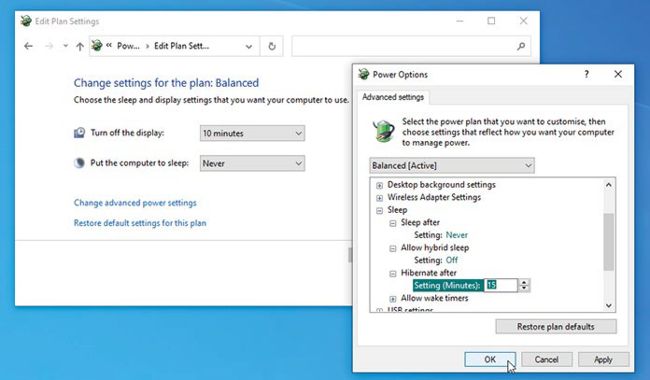
Hybrid sleep can cause problems on some hardware.
© MICROSOFT
THE DOCTOR RESPONDS: The key is to link your Pro license to your Microsoft account as a digital license. Open “Settings > Update & Security > Activation” on the PC you’re replacing and check the activation sta-tus-if it simply says “Windows is activated with a digital license” you should see a prompt for “Add an account”-click this and follow the prompts to link it to your Microsoft account.
Once done, perform your rebuild and install Windows 10 in the usual way, remembering-if you had one-to enter the same product key during installation. After it’s done, head back to “Settings > Update & Security > Activation” and, assuming the activation hasn’t miraculously worked, click “Troubleshoot” to open the activation troubleshooter. Follow the prompts, selecting your old PC as “This is the device I’m using right now” to transfer the license across. After clicking “Activate,” the process should be done. If you run into any errors, check https://support.microsoft.com/en-us/help/10738 for what to do next.
Onboard Sound Issue