FEATURE Fast fixes for Mac
Help! My backups are broken
It’s always wise to back up regularly, but what if you have problems?
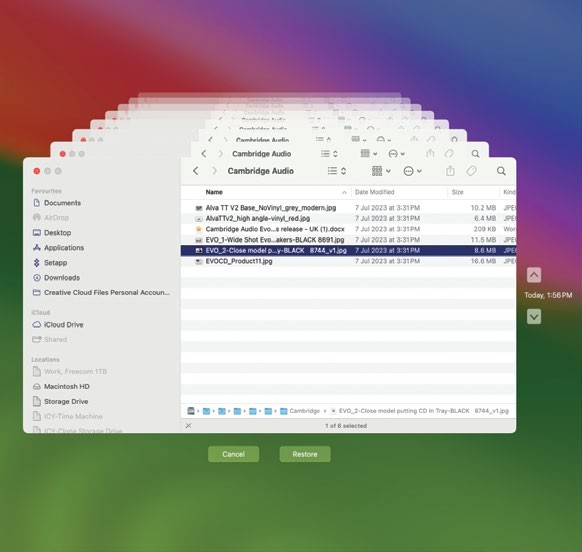
With Time Machine, you can recover a single file or folder which you’ve subsequently deleted or incorrectly modified.
Image credits: Apple Inc, Bombich Software Inc, Shirt Pocket, BeLight Software Ltd, Backblaze, iDrive Inc
Do you have too many backups, or not enough?
Can you easily recover from the backups you do have?
Here we talk you through how you can create and restore from Time Machine backups, and also how to clone your internal and external drives using third-party apps. We strongly recommend you use both Time Machine and drive cloning apps. Time Machine is great for delving into to retrieve a file deleted in error, or for restoring your Mac from a previous backup. Cloned backups, on the other hand, are kept in exactly the same state as the drive you’re cloning. Therefore, if the original drive ever fails, you’ll have an exact copy of it.