Networking
We help to solve your Wi-Fi woes and connection conundrums
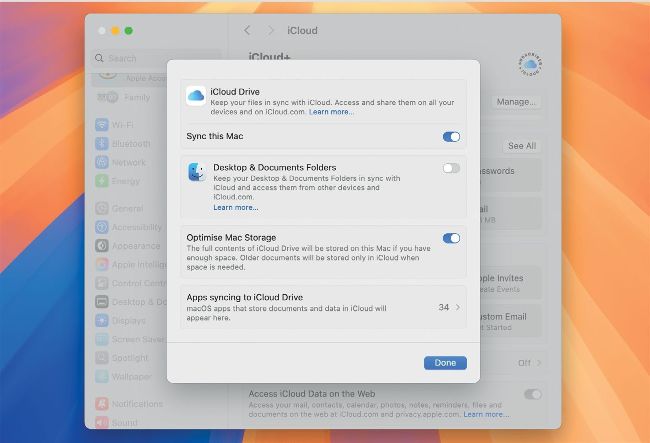
Ensure Sync this Mac is enabled in System Settings > iCloud, and that iCloud Photos is ticked in Photos settings.
Sync photos with iCloud
Q I’ve been unable to sync my photos with iCloud since upgrading to a new Mac. How can I fix that?
by MARK WHITE
A Ensure your Mac is running the current release of macOS 15 Sequoia, then open System Settings, select your Apple Account (in the top-left corner), and open iCloud. Check its master control to ‘Sync this Mac’ is turned on. Then open Settings in the Photos app, select the iCloud tool and check that iCloud Photos is ticked. (Other options are your choice here.)
Quit all apps and shut your Mac down. Take a photo or screenshot on your iPhone or iPad and save it to iCloud Drive. Allow a couple of minutes for that to sync up, then start your Mac up and watch iCloud Drive in a Finder window for it to sync down.