85 AMAZING MAC HACKS
Your guide to making the most of Apple’s latest version of macOS...
Written by Ian Osborne
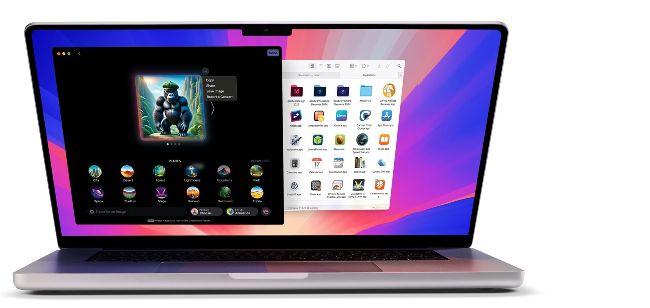
Image credits: Apple Inc, Adobe Inc, AKVIS, GPL-3.0 license, William Gustafson, Canva, Bombich Software Inc, Balena, James Hoover, Blackmagic Design Inc, Piotr Knapczyk, Kovid Goyal, Canary Mail, OpenAI, Google LLC, Take-Two Interactive Software Inc/Firaxis Games/Aspyr Media Inc, anyakichi
Sequoia has some wonderful features, many of which you might not know. The new Apple Intelligence features are here to help in a number of applications, with amazing tools such as Image Playground, Genmoji and the near-ubiquitous Writing Tools. Photos has had a complete redesign, and also picked up a few new tricks along the way. Look out too for new Safari features, some great visual effects in the Music app and exciting Messages effects. Don’t miss the Mail app’s in-depth features and interesting ways to get more from apps such as Podcasts and Books too.
Not all the features discussed in this article were introduced with macOS Sequoia, but they’re all available in the latest Mac operating system, and are all things you might have missed. So whether you’re a Mac expert who’s owned an Apple computer for many years, or a relative newcomer who is still finding new things about macOS and its apps, let’s take a look at some of its hidden secrets. We’re here to make sure you’re getting the most of Sequoia by delving into its nooks and crannies and divulging its secrets, while also sharing some more general macOS tips and tricks for your Apple desktop or notebook Macs.
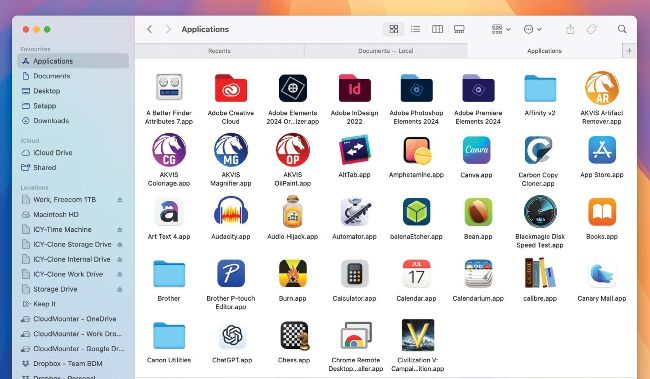
Keep your desktop tidy by using Finder tabs, instead of opening new windows.
Finder & System Settings
Take a deep dive into the heart of macOS Sequoia with these tips
T
h
e Finder is a lot easier to use when you’re aware of its hidden gems, and there are some great features in System Settings. Some are new, some were introduced before macOS 15 Sequoia, but they all deserve a mention.
1 Tabbed Finder windows
You can use tabs in Finder windows, just like you can in Safari. To open a new tab, click on a Finder window and press Cmd+T. When the tab bar is visible, you can use the ‘+’ symbol on its right too. Hover over a tab and click the 'X' that appears to close it. You can move files between tabs. Just drag it from the window onto a new tab, and wait. The tab opens, and you can move it into that new Finder window.
2 Apple Intelligence & Siri
There’s a new section in System Settings. Click on Apple Intelligence & Siri in the sidebar for some new options. Atop the window you can turn Apple Intelligence on or off, in case you’d rather not use it. At the foot of the window, under Extensions, ChatGPT is listed. This is the famous artificial intelligence (AI) developed by OpenAI, and incorporated into Apple Intelligence. Click it, and click the Set Up ChatGPT button to allow Apple Intelligence to use it. You can turn it off later if you wish.
3 Siri features
Talking of Siri, new features powered by Apple Intelligence are being rolled out over time. You can already use Siri in searches, speaking in natural language; Siri can even cope with you correcting yourself mid-sentence. Siri also understands context, allowing for follow-up questions. For example, ask about the location of a town or city and you’re told where it is. Follow up with “What’s the weather like there?”, and Siri knows where you mean.
New Siri features being rolled out over time include sending emails, working in apps, holding back-and-forth conversations, editing photos, moving files and adding photos to messages.
4 Game Center
In System Settings, click on Game Center in the sidebar. From here, you can customise your profile and avatar, manage your Friends lists and more. Apple released Game Porting Toolkit 2 along with Sequoia, making it easier for developers to port their games to Apple devices, and macOS Sonoma introduced Game Mode to Macs, which automatically prioritises a game’s performance over other things your computer is doing.
5
Widgets
Desktop widgets were also introduced to macOS with Sonoma, but if you missed them before, now’s the time to take a look.
On your desktop, click the time and date in the menu bar to open Notification Centre. Scroll it up until you see a button marked ‘Edit Widgets’ at the bottom. Click it. A pane appears, showing various widgets. You can drag widgets onto your desktop from here, where they sit in the background until you click on the desktop, hiding open windows and activating the desktop widgets. You can edit desktop widgets and Notification Centre widgets from this pane.
4 Finder settings
Click on the desktop or a Finder window, and in the Finder menu bar menu, select Settings... Alternatively, press Cmd+[,] (Command+comma). The Finder’s Settings window is opened. Under the General tab, you can set what external drives, servers and devices show on the desktop – check the ones you want shown. You can also set what a newly opened Finder window shows. The Tags and Sidebar tabs let you edit these features, and under Advanced you can change other Finder behaviours.
7
Customise the toolbar
In a Finder window, Ctrl-click on the toolbar at the top and select Customise Toolbar from the menu that appears. You can then drag and drop new icons into and out of the toolbar, making sure your most-used tools are there. Set it to show icons only, text only or both.
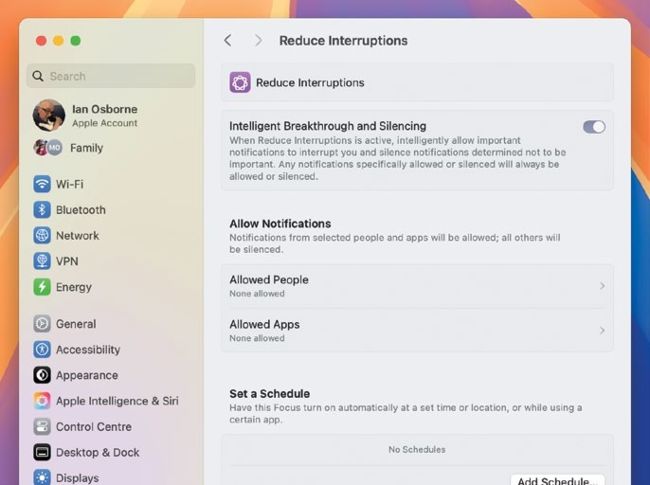
Apple Intelligence powers macOS Sequoia’s new Focus feature: Reduce Interruptions.
Image credits: Apple Inc, Frank Reiff, Adobe Inc, AKVIS, GPL-3.0 license, William Gustafson, Canva, Bombich Software Inc, Belight Software Ltd, Muse Group & contributors, Rogue Amoeba Software Inc, Balena, James Hoover, Blackmagic Design Inc, Brother Industries Ltd, SourceForge, Piotr Knapczyk, Kovid Goyal, Canary Mail, Open AI, Google LLC,Take-Two Interactive Software Inc/Firaxis Games/Aspyr Media Inc, anyakichi