CREATE A BEAUTIFUL DIGITAL PORTRAIT
Learn how to make your workflow more productive with these proven tips in Young Im Chang’s realistic character masterclass
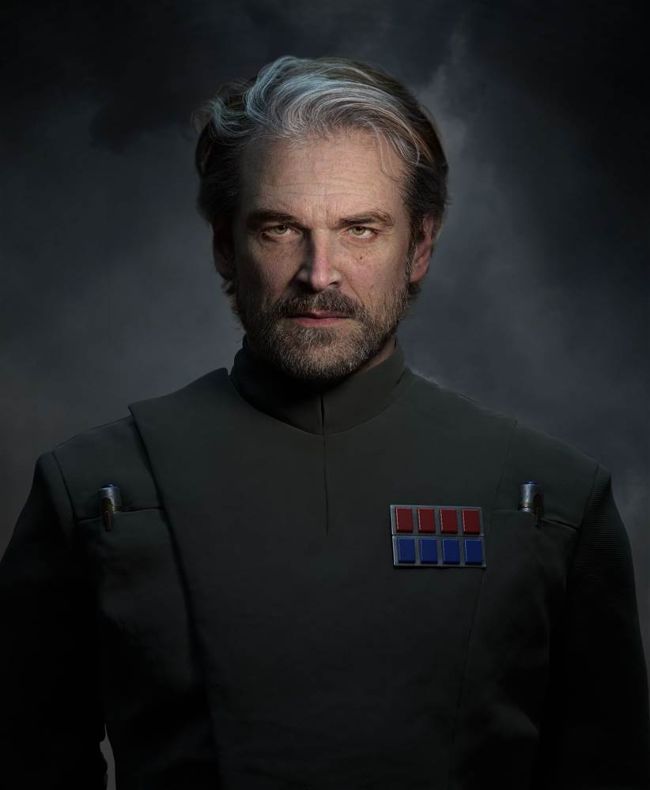
IMPERIAL OFFICER A personal character inspired by the Star Wars imperial officers
THE PIPELINE
Practical tips and tutorials from pro artists to improve your CG skills
ZBRUSH | MAYA | ARNOLD RENDERER | R3DS WRAP MARI 4.36 | MARVELOUS DESIGNER | SUBSTANCE PAINTER | PHOTOSHOP
AUTHOR
Young Im Chang
I am a senior 3D character artist working for the game industry in Korea for over 14 years. I enjoy creating portraits and characters in 3D. bluehour.artstation.com
Ioften receive emails from students complaining about their difficulties when designing a character. They are tired of the continuous modifications and the disparity between what they expect and the actual result. I also sympathise with their pain as a person who struggles alone to complete their work.
So what is the most important thing when it comes to creating a realistic character? Sculpting, texturing, hair grooming, lighting and rendering – every single element is essential. If we neglect just one of them, our creation loses its life, exposing the mistakes. Sometimes, the little things treated as insignificant become breakthroughs in solving the problems that frustrate us.
Let’s find out what we shouldn’t miss by following this proven pipeline in this character masterclass tutorial, working from the base model to the final render.
You can find the full video lectures on the Wingfox website: www.wingfox.com/c/8595
DOWNLOAD YOUR RESOURCES
For all the assets you need go to https://bit.ly/3D-world-digitalhumans
01 PREPARATION
Before starting the project, set up Maya and ZBrush to ensure an easier transition between the two programs. Create a Maya project and add folders in it by use, such as folders for export OBJ files and ZBrush.
In Maya, set up a simple light and a camera for a quick render and store basic scenes. Make sure the unit is set to centimetres in the preference settings. Open ZBrush and set the camera value to 85 in the Draw menu.