OPEN DOCUMENTS
Generate ODF slides and spreadsheets
Marco Fioretti explains how to create the same office files you can make with LibreOffice – but without LibreOffice.

OUR EXPERT Marco Fioretti is a long-time open source trainer and writer, and an aspiring polymath, writing about all things digital at
https:// mfioretti.comand
https:mfioretti. substack.com.

Figure 1: Unzipping an ODF spreadsheet (1) or slideshow (2), you always get the same three or four folders, plus seven files storing the doc’s content, metadata and information.
Part Two!
Missed an issue? Back issues page 62!
T his tutorial concludes our scratching the surface of the OpenDocument Format (ODF), which makes it easy to automatically create as many office files as you need, starting from a basic template.
Like last month, this tutorial will not teach in detail how to write code in some language to accomplish some specific, single-purpose task. This is the final part of the proof that complex texts, slideshows and spreadsheets are not black magic that only sophisticated office suites like LibreOffice or Microsoft Office can handle… As long as they are in the right file format: ODF.
That’s because, as we discussed in detail last time, while the internal components of ODF files are actually verbose piles of text, they remain just that: plain text. Stuff that, especially on Linux, anybody with basic knowledge of the command line and a scripting language can generate automatically to fill every need they may have.
The first tutorial explained the general flow to follow to automatically generate ODF text documents. Here, we outline the main issues to consider when extending that method to ODF slideshows and spreadsheets. As Figure 1 shows, even those files are just zipped archives, where both the content and most metadata are in XML format, and images are in a subfolder called Pictures (for details on the other components, please see the ODF Files Internals boxout, opposite).
QUECK TIP
The fastest, most documented and most flexible way to convert or resize images on Linux inside shell scripts is using the tools of theImageMagicksuite, which is available in the standard repositories of almost all distributions.
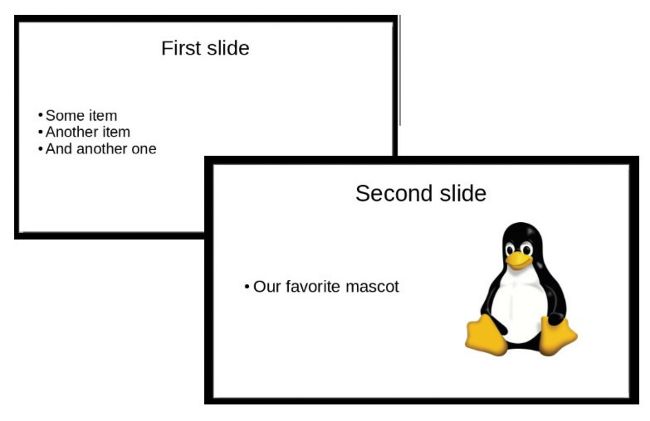
Figure 2: Creating the reference template for all the slideshows or spreadsheets you need to generate is simple – just be sure to give each string or image the right amount of space.
One template, many slideshows
Let’s start with slideshows. How can we create lots of different slideshows from the same template, but with unique content in each of them? As a practical example, let’s pretend to be teachers who need to quickly create test or homework slideshows for lots of students, all with the same structure, but each with different questions and images, in a format that students could immediately edit in ordinary office suites. For simplicity, we will assume that those questions and images can be fetched from some database or text file, one at a time. Also for simplicity, as the purpose here is to discuss the general approach, we will use as reference template the very simple layout of Figure 2: one slide with a title (First Slide) and a short bullet list, and another slide with almost the same structure, plus an image.