Share your Mac
Add additional users to Mac
Don’t keep the magic of your Mac all to yourself – share it responsibly
IT WILL TAKE 10 minutes
YOU WILL LEARN How to add one or more users to your Mac, and determine what they can and can’t do
YOU’LL NEED macOS 14 or later
Genius tip!
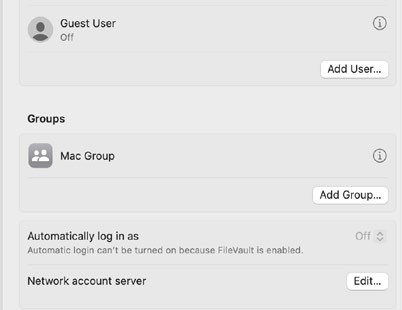
You can add more than one user and create groups – click Add Group and indicate who to include. Groups can be given the same access privileges.
Your Mac is a desirable piece of kit, so it’s inevitable someone else will want to use it from time to time – be that a family member, friend or guest. Trouble is, handing over your Mac when it’s logged into your account is a path to potential danger. Another user could access your files, make changes to your settings, download apps and much more.