Gain control over your iPad using Guided Access
Limit your iPad and ensure anyone who borrows it can only access parts of a single app
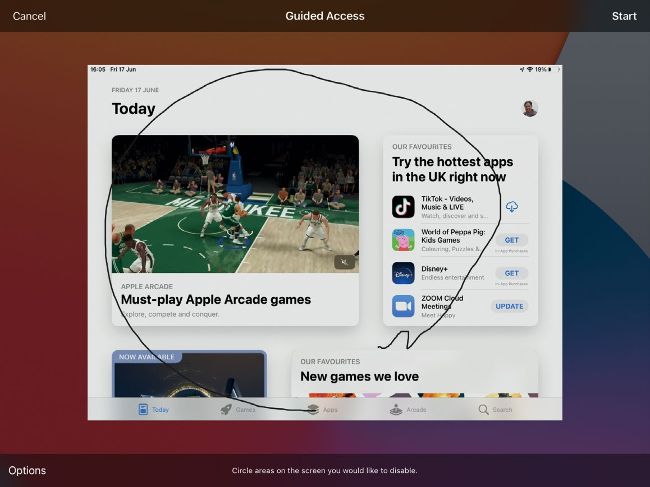
Perhaps you’ll want to ensure the App Store is out of bounds!

• App credit: Apple Inc
Settings
Developer Apple Inc
Difficulty
Time needed
05
Handing over an iPad for someone to use can put you on edge. What if they sneakily peek at your work email, access the App Store, nosy through your apps or play a prank and send a message via social media (maybe we should reassess our friendship group!)? Your mind can be eased if you use Guided Access. Built into iPadOS, it lets you draw a ring around parts of the screen you want to disable so that tapping certain spaces will have no effect. It also ensures people can’t leave the app currently being displayed.