IMAGE MAGICK
Build a meme generator with Python
Les Pounder shows us how to generate our own memes and filters using Python and standard open source tools.
Les Pounder
The other day, while watching the episode of Star Trek: The Next Generation where Captain Picard was trapped on a planet with an alien who only spoke in metaphors made us think: “Hey we do that now with memes!” Memes are all over the Internet and they’re great fun to drop into a tweet. With this project we can make our own meme images using Python and a module named PIL (Python Imaging Library). To make it all a little easier for users we shall also make a simple GUI.
OUR EXPERT
Les Pounder Associate editor at Tom’s Hardware and freelance creative technologist. He blogs about his discoveries at bigl.es. And clearly watches too much Star Trek.
YOU NEED
Code:
https://github.com/lesp/LXF270-PIL/rchive/master.zip
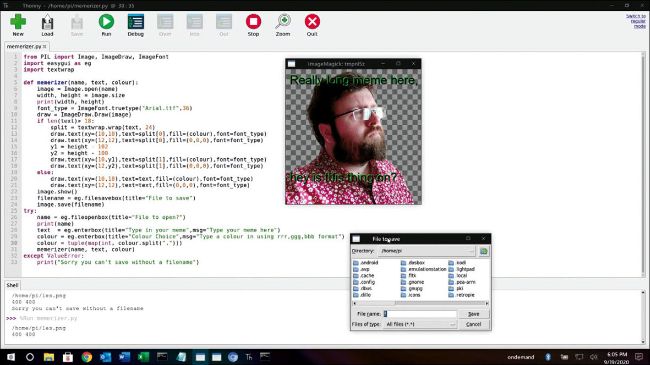
Create your own memes using Python and the PIL module. Add filters, rotate images and remix to find the ultimate expression of your mood.
Software setup
PIL comes pre-installed with Raspberry Pi OS, but we do need to install two extra packages. The first is imagemagick, used by PIL to work with images. In a terminal type the following to install it: