INTRODUCING KALI
Kali Linux is a powerhouse of pen-testing and security research goodness
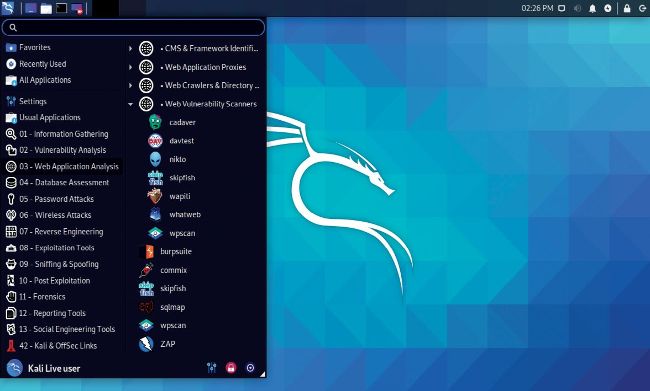
Kali Linux is packed with everything you need to start your hacking career.
© KALI
THE TOOLS WE’RE GOING TO SHOW you can be installed on pretty much any Linux distro, but we’re going to use Kali Linux. This is primarily because it has all these tools installed already, and there’s excellent documentation if you want some more information about it.
Kali is probably not something you’d want to use as a daily driver, although if you look online you’ll see a lot of posts by budding haxors that do just this. Up until the end of last year Kali used the root account by default, since many tricks such as handcrafting network packets require this. It would be a terrible idea if you were running, say, your mail client as root and you clicked a dodgy link.
Using the root account was sound practice so long as you kept the system “clean” of any of your (or other users’) personal affairs. In fact, the risk is often overstated on a single user machine where that user typically has sudo access anyway. However, many applications also require a nonroot account, since running them as root presents a security risk.
So now Kali has adapted, and root is no longer the default (the default username and password are both “kali”). However, you still shouldn’t use it as a daily driver. You will run into oddities with networking, Bluetooth and package availability, since all these things have been tweaked, either to minimize the attack surface or to make things easier for launching attacks. Perhaps this is why Parrot beats Kali. Parrot is more like a regular distro, with security tools, while Kali is more focused on security and pen-testing. There’s no LibreOffice, and because it’s based on Debian some repositories are disabled, so installing additional software may not be as easy as you would expect.