GROUP TEST
RENDERING SOFTWARE
Discover the best rendering options for you with our expert’s selection of some of the top choices available right now
REVIEWED BY PAUL HATTON
over the years, the number of renderers available on the
O market has steadily grown.
This makes the process of choosing the right one more complex than you might imagine.
There’s been an increasing demand for GPU renderers to power real-time interactive experiences, and many now support both CPU and GPU rendering. Both approaches have their pros and cons. CPUs are slower to render but can handle a lot of data, whereas GPUs are quicker but can’t handle as much data. The next question is whether you want it to be biased or unbiased. Biased renderers focus on delivering top results at the cost of accuracy, while unbiased focuses on accuracy and realism, but at the cost of longer render times.
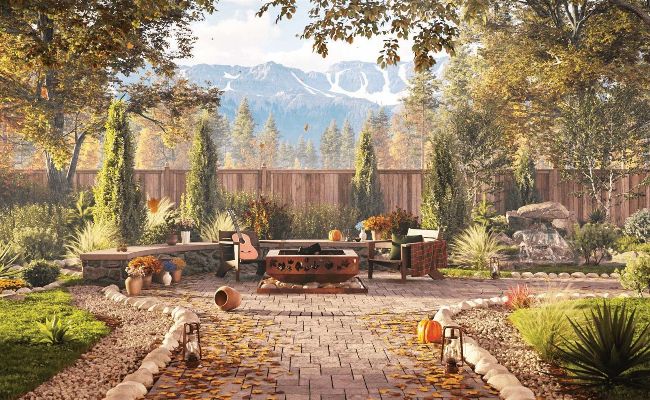
We explore the latest software and hardware tools to see if they are worth your time or money
With different renderers preferred for different industries, this round-up will help you get a start on the exhausting search of what’s available.
Corona 11
PRICE PRICE
£25/$30 per month | COMPANY Chaos | WEBSITE corona-renderer.com
Chaos Corona has been one of the most proactive renderers of recent years with Corona 11 coming out five months after version 10 hit the market. That’s one short development cycle.
In reality, it’s difficult to compare this activity with other rendering companies because they all have different opinions on what should constitute a full version upgrade compared to an iterative update. V-Ray will release several new updates between each major revision.
As you’d imagine, version 11 of Corona is therefore far from a significant upgrade, with only a couple of new features aside from a range of improvements. In my opinion, this doesn’t warrant a move from 10 to 11, but could instead have been part of an iterative update.
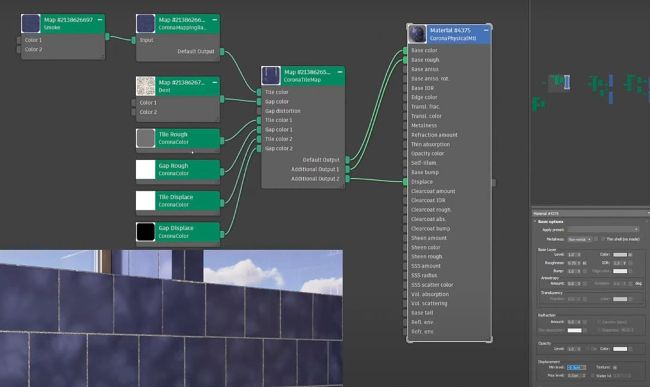
The new features include a Corona Tile map that can be used for generating procedural tiles, and an Edge map/Edge shader to aid in easily applying effects such as weathering and staining to the edges of your objects. You’ll also find Pyro improvements, Corona Power Tools, better results with the new Intel Denoiser, and an improved Lister feature.
I’d like to have seen more substantial improvements with more new features, but in such a short time since the previous update, it’s hard to expect too much else.
ARCHVIZ AID
Corona Tile map is perfect for architectural visualisers who create images that require tiled objects; which is pretty much every archviz project. Its applications include tiling walls, floors, bathrooms and kitchens with procedural tiles. The fact that this map is procedural makes it far more powerful and flexible than any previous workflows. Artists are now able to use bitmaps or procedural maps to define the colours of the tiles and repeat, randomise, or even tessellate an image onto the tiles.
I like that this map includes multiple inputs and outputs, which means a single map can simultaneously affect a range of properties including colour, bump and glossiness. This makes the workflow for tile texturing much simpler and results in less map duplication. In addition to this, the Corona MappingRandomizer and MultiMap now have ‘by tile ID’ modes for users to randomise results by each tile if needed.
SCATTERING BUFF
The launch of Chaos Scatter has seen scattering tools introduced to Chaos products including V-Ray and Corona. The first iteration of these tools was rather significantly lacking compared to the likes of Forest Pack Pro. In all honesty that’s to be expected.
It has meant subsequent updates have further improved scattering capabilities and version 11 isn’t any different. The range of improvements include the ability to scatter by altitude, as well as forcing your scattered objects to look in the same direction.
The first of these, Scatter Altitude, is a vital element of any effective scattering tool as it enables hilly or mountainous scenes to be created and controlled with more precision. This ability is driven by upper and lower limits, and can be used for treelines, waterlines or even to scatter clouds around mountaintops. It’s features like this that are pushing Corona’s scattering tool selec tion from strength to strength.
Define upper and lower limits for scattering, creating more realistic nature scenes with Scatter Altitude
© Chaos