GB
  
You are currently viewing the United Kingdom version of the site.
Would you like to switch to your local site?
13 MIN READ TIME

Write a novel on your Mac

Everything you need to know about planning, writing, editing and publishing your first book
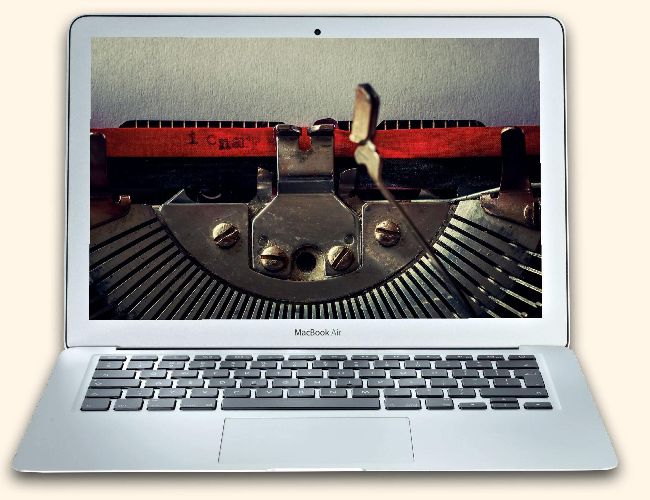
Once upon
Image credits: Literautas/Ulysses GmbH & Co. KG/James Dai Limited

Just the thought of writing a novel is tiring in itself for most people, but, if you have the talent and patience to do so, some help will be needed. The fact is that it is close to impossible to simply sit down and start writing, and to then continue to the end of the novel in a way that would allow the finished work to make any sense. Research is needed to create the characters, to describe the locations and to ensure that there are no inconsistencies within the story itself. You will likely have seen the occasional continuity error that pops up in films and if even the professionals can make these errors you will almost certainly follow. Inspiration is another area that can be hard to come by, but just like with the organisation of a story you can use your Apple devices to greatly assist you.

Planning is essential

There is a little known app called Story Planner for Writers that works and synchronises between iOS and Mac and is most certainly an option that you should check out. The simplicity of the interface gives way to the planning that you need to do and this helps to make the initial organisation process as efficient as can be.

Build an app collection

Now that you have an app to help you plan your novel you can either look at alternatives or collect some more apps that will be needed to get you started. You will need to find the best writing environment for your style, a research app of some kind to keep your documents together, and a myriad of other tools.

1 A one-stop shop

The Ulysses app could be an option if you are looking for one solution to cover your writing, organisation, publishing and editing. It is a very powerful subscription-based tool.

2 Keep your focus 

There are many apps, including Write…, that offer a simple interface for you to write without distraction. We cannot emphasis how important this can be for your creativity.

3 Remember everything

  Your Mac’s Stickies app lets you keep info onscreen at all times, even when you are writing and researching your novel. You want to build an effortless writing environment.

Unlock this article and much more with
You can enjoy:
Enjoy this edition in full
Instant access to 600+ titles
Thousands of back issues
No contract or commitment
Try for 99p
SUBSCRIBE NOW
30 day trial, then just £9.99 / month. Cancel anytime. New subscribers only.


Learn more
Pocketmags Plus
Pocketmags Plus

This article is from...


View Issues
iCreate
Issue 224
VIEW IN STORE

Other Articles in this Issue


Welcome
iCreate 224
“A 21.5-inch, late 2015 iMac that you can’t  upgrade doesn’t combine well with Big Sur”
iCreate regulars
Apple announces WWDC 2021
Apple’s 2021 World Wide Developers Conference is June 7-11, so what can we expect?
5 Things we learned this month
Apple news Apple wants to help out teachers
iCandy
iPod 3G (2003) The third generation of iPod
Genius Bar
Our Apple devices and the software on them are some of the finest products on the planet, but even they have their moments. We’re here to give you expert advice and get you back up and running in no time
On the cover
68 iOS & Mac PRO TIPS
A compilation of tips and tricks to help you become a black belt in using your Mac and iOS devices
Creative Tutorials
Edit on the go with iOS Photos
Use the iOS version of Photos to improve the colour, tone and composition of Raw files
Combine different clips of your pet in iMovie
Use post-production tools in iMovie to present your pet’s antics in a fun social media montage
Creative cutting without relying on transitions
Tell a slicker story using pro tricks and techniques such as whip pans, L-cuts and jump cuts
Perfect your audio timing using flex markers
Learn how to manually edit the timing of audio wave ‘transients’ using flex markers or automatically with quantisation
Create random drum fills with Logic’s Arpeggiator
Take the pain out of programming drum fills by using Logic Pro’s Arpeggiator
macOS Tutorials
Run macOS Big Sur from an external HD for faster results
Is your Mac upgraded to the hilt and still sluggish, or cannot be upgraded at all? Then maybe an external HD running macOS could be the answer
Speed up the web with some simple Safari tweaks
Discover how to configure Safari’s settings to make web pages load and display much faster
10 ways to protect your Mac
How to stay safe from security and malware threats
Scan and email documents on your Mac
Insert scanned documents into emails on your Mac in Mail using an iPhone as a hand-held scanner
Combine PDF documents on the Mac
Take several small PDF documents and merge them into one long PDF for convenience and easier reading
Collect and organise stuff with Anybuffer
Store almost anything in Anybuffer and use multiple views and smart views to organise and filter items
iOS Tutorials
Create your perfect iPhone Home Screen
From wallpaper to widgets, folders to the Dock, there are many ways to create a Home Screen that works better for you
See podcast privacy issues before subscribing
Podcasts can track your activities. Use the Overcast podcast player to see which podcasts are doing this
Manage Podcasts space on your iPhone
Don’t let podcasts fill up your iPhone’s storage with shows that you will never get around to listening to
Connect your iPhone to a Windows PC
Make and receive phone calls, listen to audio from your iPhone and check your Apple notifications on a PC using a new Windows 10 app
Record a video accompanied by background music
It is possible to add a soundtrack while you are recording a video
Create photo grids with iOS Shortcuts
Use the Shortcuts app to create simple collages from photos
Catalogue your music collection like a pro!
If logging your vinyl in Discogs is proving time-consuming then we show you how to find and save what you need, quickly
Transcribe meetings and conversations in real time
Microsoft’s app takes accurate notes and works out who’s talking
iPadOS Tutorials
Digitise your handwritten notes in seconds
Hand-writing notes with the Apple Pencil is a pleasing and efficient experience, but digitising notes takes everything one step further
Learn how to draw with an Apple Pencil
ShadowDraw takes you through the basics of drawing from simple shapes to complex structures. The interactive approach works very well
watchOS Tutorials
Set up a new Apple Watch
You can now be up and running with your new Watch in minutes
Use Overcast to listen to your podcasts
Overcast is now better than ever and it allows you greater control over podcasts on a Watch
tvOS Tutorials
Manage what can be viewed on Apple TV
Restrict content by age and prevent unauthorised purchases by making use of your device’s parental controls
iCreate reviews
Edifier D12 Stereo Bluetooth Speaker £99.99/$119.99
Key features 70W RMS • Bluetooth 5.0 •
Edifier TWS NB2 Wireless Earbuds £89.99/$99.99
Key features Hybrid Active Noise Cancelling • 20-20KHz
iRig Pre 2 Mobile Microphone Interface £49/$59
Key features Built-in XLR connector • Adjustable gain
Accessories
FoodMarble £149/$169 foodmarble.com This digestive breath tester aims
DxO PureRAW
RAW-rendering software that makes editing easy
iBook G4 ‘Snow’ (14-inch)
Release date October 2003 • Processor: 933 MHz
Chat
X
Pocketmags Support