Genius Bar
Our Apple devices and the software on them are some of the finest products on the planet, but even they have their moments. We’re here to give you expert advice and get you back up and running in no time
Contact us today
Facebook iCreateMagazine
Twitter @iCreateMagazine
Instagram icreate_mag
Email icreate@futurenet.com
Glossary
The place to come for key terms made easy
Notification Centre
This is a place to go to see all of your notifications in one place. Swipe down from the top of your iPhone or iPad screen to access it, or click on the date and time in your Mac menu bar.
Summarise
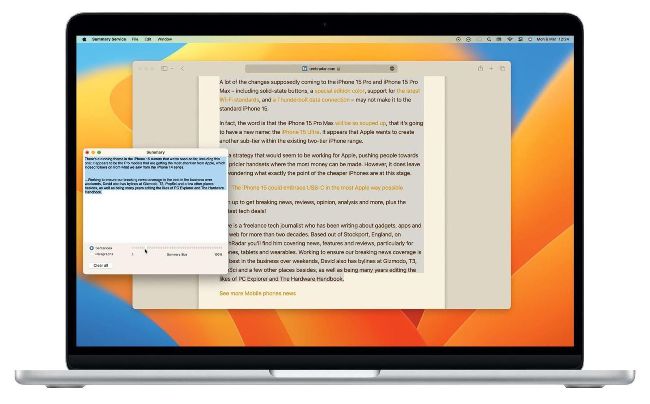
This is a system service on Mac that enables you to summarise long documents, web pages, etc into shorter, more concise versions to make them easier to scan for the hard facts. This service has been hidden away in macOS for some time.
Voice Control
Part of the macOS and iOS Accessibility settings, Voice Control allows you to perform key tasks on your devices without touching them and instead use your voice to complete the operations. The downside is that your device is constantly listening, which may impact on battery life.
macOS System Settings
• Image credit: Apple Inc
There is a feature called ‘Summarise’ on Mac that makes it easier to digest long documents, how do I use it?
Andrew Hurst
1 Use Summarise
Go to System Settings> Keyboard>Keyboard Shortcuts and then select ‘Services’ in the sidebar. Click the arrow next to ‘Text’ and then tick the ‘Summarise’ option.
2 Select some text
Now, in any app where there is text, such as a Safari news story in this case, highlight some text, and then go to Safari>Services> Summarise. The highlighted text will appear in a separate window.