Get started with Books
The Books app on iPad (and Mac) is a great way to read and listen to books and check out PDFs
WRITTEN BY KENNY HEMPHILL
Apple’s Books app started out as a way to encourage people to use its then fledgling iPad to read books. By then, Amazon’s Kindle had started to dominate the market for ebook readers and Apple wanted its share. The problem Apple had was that the iPad, while a brilliant device, wasn’t nearly as good for reading fiction as e-ink based readers. It was big, bulky and its glossy colour screen made it almost impossible to read outdoors.
However, while the Kindle became the go-to for anyone who wanted to read a novel in the garden or on the beach, the combination of the iPad and the Books app is a brilliant one for recipe books, gardening books, atlases and anything else that makes use of colourful images.
Books isn’t just available on the iPad, of course. You can use it on any Apple device, including Apple Watch. And, as well as reading books, you can use it to store and read PDFs and even listen to audiobooks. We’ll show you how to do all of that here.
How to get started with Books
Browse the Book Store, and download and organise purchases
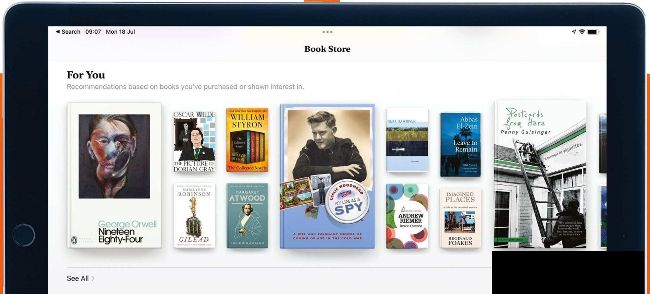
The Book Store works like Apple’s other stores, recommending titles and highlighting the most popular.