Vanilla OS
Matt Holder discovers that Vanilla OS is anything but vanilla.
We’re continuing our look at Linux distros that use modern technologies and techniques to improve security and stability. Previously, we’ve looked at Fedora Silverblue and NixOS. Silverblue uses an immutable (read-only) root partition and applications are added as either containerised packages or filesystem layers. A tool called Toolbox is included, which allows deep integration with containers, to allow other operating systems or apps to run from within Silverblue. NixOS is also very different from Ubuntu or Fedora as it uses declarative configuration via configuration files. This uses techniques from the infrastructure as code methodology and it means multiple devices can be configured in exactly the same way and configuration can be backed up using version control systems.
Vanilla OS will be more familiar to classic distro users, but it also uses some of these new techniques. Vanilla is based on Ubuntu, allows easy access to the AppImage, Flatpak and soon the Snap containerised packaging systems, has a partially read-only (immutable) filesystem and utilises an A-B partitioning system to make updates as reliable as possible.
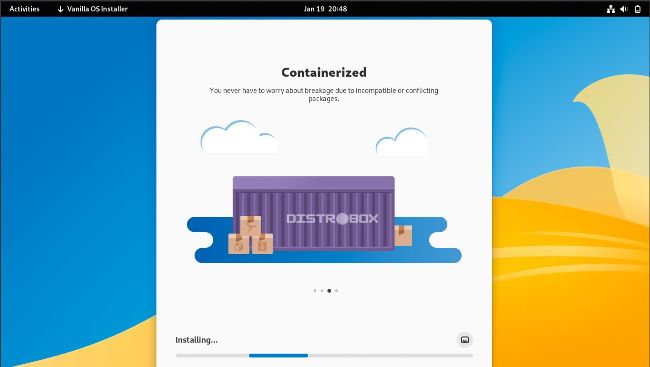
Once options have been selected, the installer copies the relevant files and configures everything that is needed
A very similar A-B partitioning system is utilised by Chrome OS. Essentially, two copies of the operating system are installed and after an update, the system boots from the newer copy. If the update has failed, it can boot from the other partition to remain in the previous version. To achieve this, the team has developed a tool called ABRoot that allows for atomic transactions between two root filesystems. Please note that due to having two copies of the operating system, your virtual disk is, in effect, half the size you set. At least 50GB is required for installation.
As the filesystem is partially read-only, adding core components is not the same as in stock Ubuntu, but can be achieved using what the team refers to as the transactional shell. Any extra tools and updates that are installed are made available on a system reboot.
The first thing to do is install the distro as a VirtualBox VM. Download the ISO from https://github. com/Vanilla-OS/os/releases/latest. At the time of writing, 22.10 is the latest version. Once downloaded, open VirtualBox and click New to create a new VM. On the first tab, enter a name, change the storage folder (if relevant) and select the downloaded ISO image to be used to boot the VM. Under Type, select Linux and from the Version drop-down select Other Linux (64-bit) or Ubuntu (64-bit). Ensure that, if available, the Skip Unattended Install option is ticked. Now select the Hardware tab, select 4GB RAM and two virtual CPUs. Finally, select the Hard Disk tab and create a disk at least 60GB in size, to account for the A-B partitions and having a decent amount of space to experiment.