INTERFACE TRICKS
Use a keyboard or Apple Pencil to boost your productivity
ONE OF THE things that really differentiates using an iPad from using an iPhone is keyboard shortcuts. If you connect an external keyboard to your iPad, then it makes the experience much more like using a Mac. For example, to search for something, instead of swiping down on the Home Screen and typing a search query on the on–screen keyboard then tapping a result, you can press Cmd+Spacebar, the same as Spotlight on the Mac, type the query, then press Return on the keyboard. In iPadOS 14, you can now even handwrite the search query with an Apple Pencil.
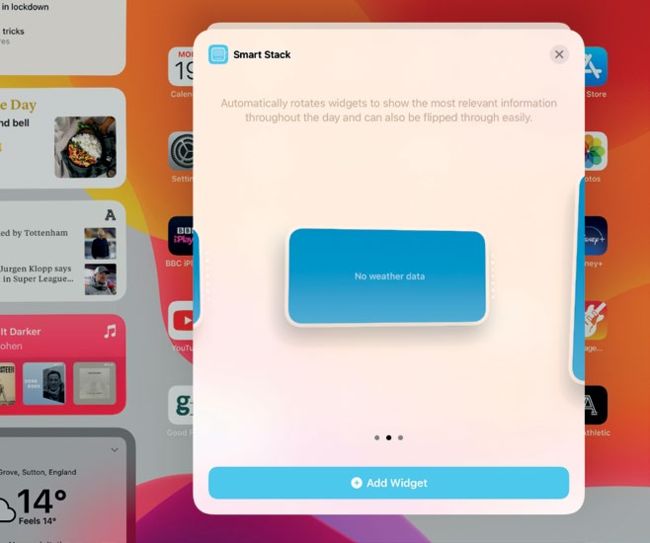
You can now add Smart Stacks to the Today view on the iPad’s Home Screen.
1 ADD A SMART STACK TO THE TODAY VIEW
Tap and hold on any free space on the Home Screen. Tap “+” in the top–left corner. The widgets drawer will appear, with Smart Stack at the top. Tap Smart Stack and swipe left or right to choose the size you want. Tap Add Widget.