Answers
Got a burning question about open source or the kernel? Whatever your level, email it to lxf.answers@futurenet.com

Neil Bothwick
is Dr Tux to you! Fixing all problems dead(ish)!
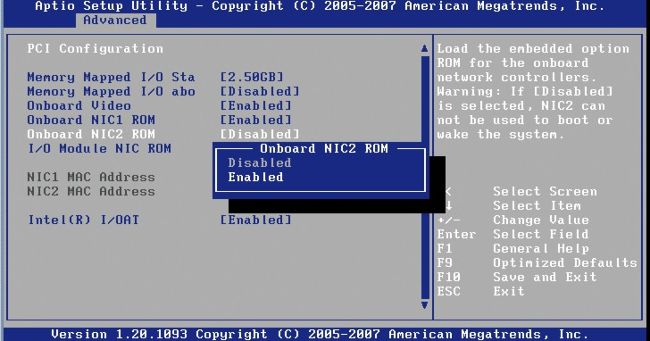
Wake-on-LAN can be very useful, but it usually has to be enabled in your computer’s firmware menu and then again in software after booting.
Q
Sleepy server
I’ve upgraded my little home server box to Ubuntu 20.04. It’s set to go into sleep mode and I use a phone-based Wake-on-LAN app to wake it up when I need it again. This used to work fine even when the system on rare occasion needed a reboot. But after the upgrade it no longer works after a reboot.
I’ve followed a guide at http://bit. ly/lxf273wol to create a WOL systemd service, but it still won’t work after a reboot. I have to manually enable the WOL after which is fine until the next reboot. Any ideas?
Neil Moore
A
Your systemd service isn’t starting up correctly. You can see this by running the following: $ systemctl status wol.service
You say it works when you enable Wakeon-LAN manually. I suspect that you mean you’re running the ethtool command given in the guide: $ ethtool -s INTERFACE wol g where INTERFACE is the name of our ethernet interface. The Systemd unit from that guide is: [Unit] Description=Configure Wake On LAN
[Service]
Type=oneshot ExecStart=/sbin/ethtool -s INTERFACE wol g
[Install] WantedBy=basic.target
Ensure you’ve checked the spellings as always this is case sensitive. This may have worked with older distros, but Ubuntu 20.04 installs the ethtool executable in /usr/sbin not /sbin. If it looks like you need to change the path in your unit file to reflect this, you can check that it now works with: $ systemctl daemon-reload $ systemctl start wol.service $ systemctl status wol.service
The first command is needed any time you change a Systemd unit file as it caches these in memory when the system boots and won’t see any changes unless you force a reload of all unit files.
Q
Bootless DVDs
I’m trying to resurrect a Toshiba Satellite M45-5331 laptop. It has an Intel Pentium M 730 processor and 512MB of RAM. I’m able to boot various Linux distributions from CDs, but not any distribution that’s on a DVD, which I burned on my laptop. I can, however, boot from a Windows XP DVD and from several of the Linux Format DVDs.