Be an expert photo editor
Import your photos
Discover the best ways to import your photos and videos from camera to computer
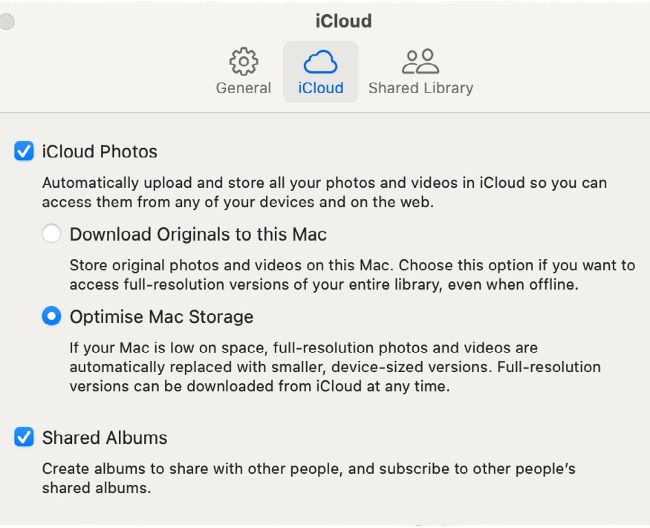
With high-resolution photos stored in iCloud, you can free up space on your Mac.
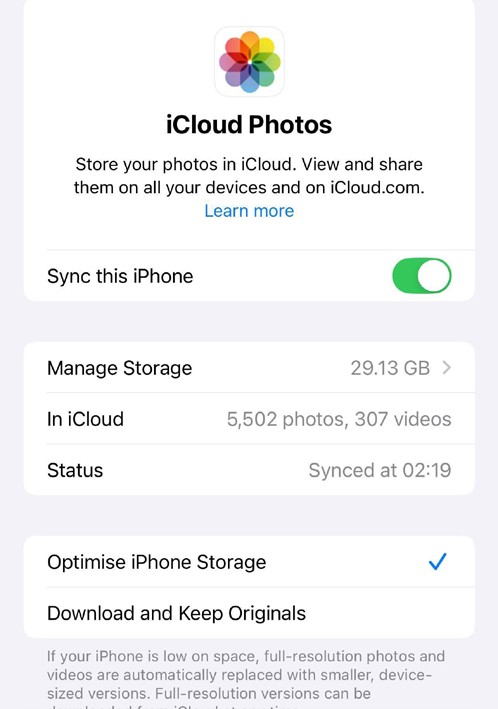
By storing low-res versions on iPhone, you can shoot more photos and clips.
Your iPhone is a convenient one-stop shop for photography. When you snap shots using the Camera app, they are stored on your iPhone and can be easily viewed in the Photos app. You can organise, edit, and share your shots in Photos on iOS, so in theory you don’t need to export your shots to a Mac.
However, by storing full-size, high-quality shots on your iPhone, you’ll eventually run out of storage space and be forced to endure the time-consuming slog of deleting old images to make space for new ones. By editing on an iPhone’s small screen, you may not spot problems with focus, or notice the presence of picture noise that will be more evident in print. If your iPhone is lost or stolen, then you could lose your precious pictures forever if they haven’t been copied and stored elsewhere.