NEW USES FOR YOUR APPLE KIT
Got some old Apple devices lying around gathering dust? Don’t just throw them away! These creative ideas will breathe new life into them
Written by Alex Blake
The more technology we accrue, the more obsolete devices we end up with filling our drawers and cupboards. Those ancient iPhones and iPads we keep despite them being well past their sell-by date? They may come in handy one day, we reason. That old MacBook in the corner that never gets used? It just needs a new battery and it will be right as rain, we convince ourselves. We know these stories are not true – and all the while the devices go on collecting dust and losing value.
But just because a device is old, does not mean it is useless. There are many ways your old Apple kit can be repurposed, from safeguarding your valuables as a home security camera to keeping you entertained as a dedicated book reader or games machine. Many of the uses for old devices require only moderate power and performance, making them ideal tasks for your geriatric gear that is otherwise past its prime.
Reusing devices that have become obsolete is also a good way to save money. Instead of shelling out tens or even hundreds of pounds on new equipment, you can often achieve the same result with a few minor tweaks to your existing kit. At the same time, it means fewer items being sent to landfill, so it’s good for the environment too.
Over the next few pages, we will show you the best ways you can give you old devices a new lease of life. Each method is easy and requires no tools, no fiddling and no hassle. Just a few quick tweaks here and app downloads there and you will be ready to go.
Use an old Mac as a file server
Store and send files from a central hub using the kit you already have
These days, many people are going increasingly digital. What were once huge collections of DVDs, CDs and video games in physical cases can now be ripped to a Mac and served up over the internet to anyone in your house who needs them, whenever they need them. But to do this, you need a file server. This is a perfect role for an old Mac. File servers have very low system requirements, and even old-school Macs usually have more than enough power to serve your files throughout your house. This method is probably better suited to an old desktop Mac like a Mac mini rather than a MacBook – you need your file server to be turned on pretty much 24 hours a day, which will take a toll on battery life. A desktop Mac plugged into a wall socket need not worry about this and will likely have more ports too.
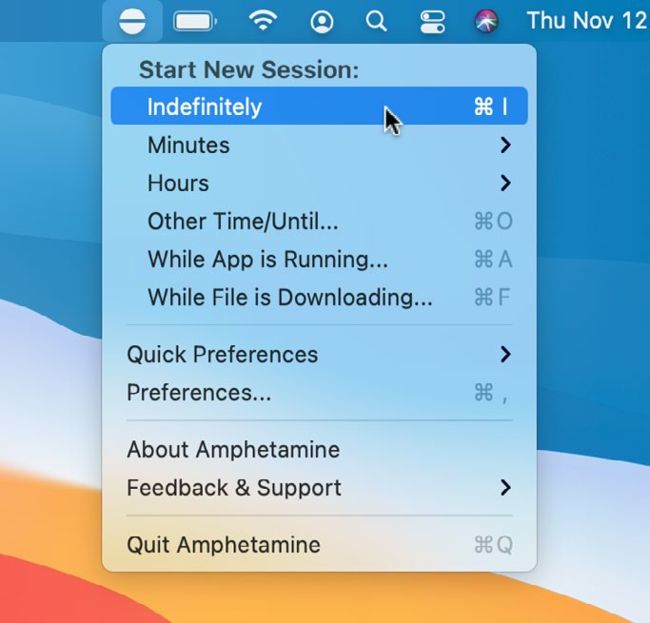
The Amphetamine app can keep your Mac awake – ensuring that your files are always available.
First things first, you need to install a clean version of macOS using Recovery mode. Once that is done, open System Preferences, click Sharing, then give your Mac a useful name (like File Server Mac). Tick the checkbox next to File Sharing and add any relevant folders to the Shared Folders section (for example, your movie collection). You can enable sharing with Windows PC by clicking Options.