PORTRAIT & LANDSCAPE PHOTOGRAPHY
You can take incredible photos on your iPhone. Here’s how…
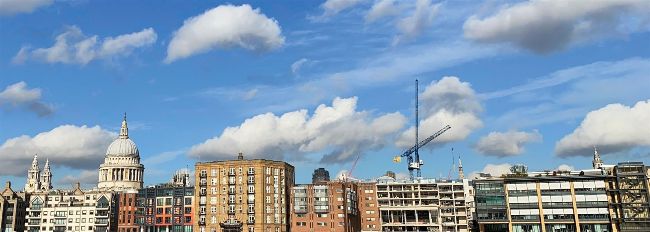
Shooting in Pano mode helps you capture a wider field of view. Perfect for urban landscapes.
PORTRAITS AND LANDSCAPES are common subjects for a photo, but it can be a challenge to capture decent pictures of these subjects. When we view a snap of a landscape it is often disappointing as it rarely matches up to our memory of the scene. This can be because our peripheral vision takes in a wider field of view than the iPhone’s lens, especially in a narrow 4:3–shaped photo. To capture more of a landscape you can set the Camera app to the Pano shooting mode. This enables you to pan the iPhone left to right (or right to left by tapping the arrow icon) to include more of the landscape. As you pan, the Camera app stitches the video feed together to produce a wider panoramic image. However, the hit–and–miss Pano mode can lead to some ugly artifacts. If a person moves during your pan then parts of their face may become distorted due to the auto stitching process. If you tilt the iPhone during the pan then you may get jagged black blocks of missing detail at the top and bottom of the frame. The straight lines of a building can also appear curved when shot with the Pano mode.