Master Safari extensions
Personalize your browsing experience with these excellent iOS extensions
REQUIRES Safari on iOS/ iPadOS 15 or later
YOU WILL LEARN How to use Safari extensions for a better online experience
IT WILL TAKE 5 minutes
GENIUS TIP
Sometimes ad blockers stop pages from working properly. To fix that, tap the jigsaw icon in Safari’s address bar and tap Turn off Content Blockers.
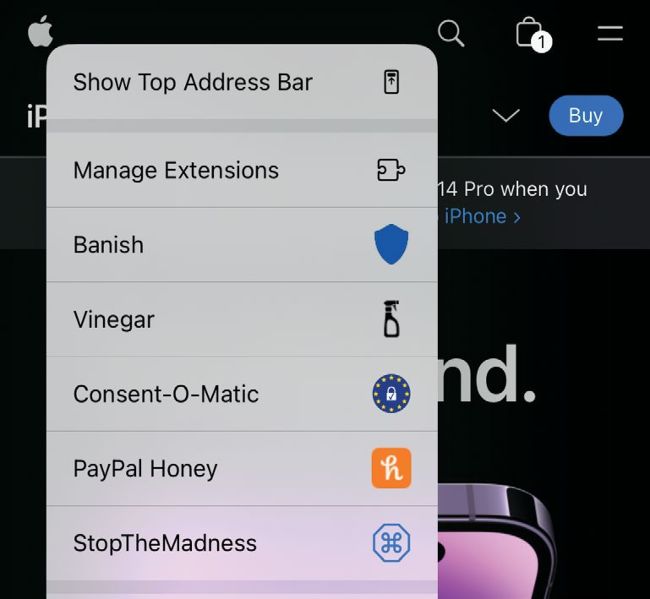
There’s a Quick Menu for extensions in your Safari address bar. As you can see here, tapping the jigsaw icon gives you fast access to active extensions’ settings.
Image rights: Apple Inc, Eyeo GmbH, Honey Science LLC, And a Dinosaur.
THERE’S A PRETTY bad–tempered battle raging on the web, and it’s been raging for a long time. On one side there’s us, ordinary Apple users who just want to get to content, services or stores with the minimum of fuss. And on the other there are the ad trackers, the bad website designers, and the people who do their very best to hide what you’re looking for beneath 437 pop–ups, auto– playing videos and “allow cookies?” banners. In some cases, websites have become so full of clutter that they’re actually painful to spend any time on.