Shoot long exposures
Add motion blur and light streaks using the camera or third-party iPhone apps
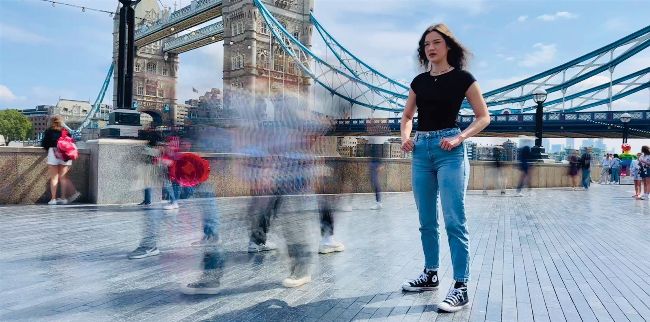
Image rights: Apple Inc, Lux Optics Inc.
REQUIRES Spectre Camera (iOS 15 or later) Slow Shutter Cam (13.1 or later)
YOU WILL LEARN How to add motion blur; create long exposures
IT WILL TAKE 15 minutes
DIGITAL CAMERA USERS can manually adjust their shutter speed to capture a long exposure. This causes moving objects to become blurred, which is a springboard for a variety of creative effects. Ocean waves become abstract paint–like streaks, and cars at night emit laser–like light trails.
Your iPhone chooses its shutter speed automatically to try and capture a sharp, blur–free shot. If you shoot in low light, that might trigger Night mode, where you can dial in a longer exposure, up to a maximum of 30 seconds. However, in the daytime you’re stuck with the shutter speed that the Camera app chooses.