DOCTOR
THIS MONTH THE DOCTOR TACKLES...
> Samba share
> Keep Chromebook?
> Recovery partition
Inaccessible Pi share I’ve had a Plex server running on a Raspberry Pi for several years. I set up a shared folder on the server that I’ve been able to connect from my two Windows 10 computers so I can drop TV shows without having to pull the USB drives. I’ve now replaced my Windows 10 Pro laptop with two newer systems running Windows 11 Home and Pro, neither of which can connect to the share (the Windows 10 desktop can still connect).
I can get as far as entering the Pi’s IP address into File Explorer—namely \\10.0.0.200—which prompts me for a username and password, but am told that it’s incorrect, even though it works fine in Windows 10. I checked ‘Turn Windows features On or Off’ to make sure ever ything is the same. I can connect to the Pi through both VNC and Putty on both Windows 11 computers, as well as Plex through a web browser using the IP address.
Both newer systems have the same login info and workgroup as the Windows 10 PC, so I’m stumped. Any suggestions?
—David Maurice
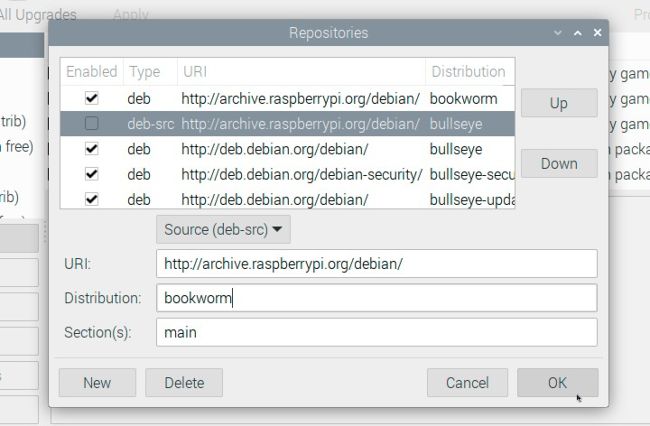
Make sure you’re running the Buster or Bookworm version of the Raspberry Pi OS.
THE DOCTOR RESPONDS: This could be a combination of the fact that Windows 11 drops support for SMBv1. You can try re-enabling this by checking ‘SMB 1.0/CIFS File Sharing Support’ under ‘Turn Windows features On or Off’, with the version of Debian powering your Raspberry Pi OS. If you’re running a version of the Raspberry Pi OS based on Debian 11 (‘Bullseye’) or later, this shouldn’t arise, because SMB 2.0 support is enabled and working.