HOW TO...
Synchronise files across your own home network
By Nik Rawlinson
What you need: Syncthing Time required: One hour
The great thing about online-storage services like Dropbox is that they ‘just work’. Once you’ve installed the software, they get on with the job for years. Unless you run out of space, that is, at which point you may need to remove items or pay for an upgrade.
Dropbox offers 2GB for free, which is pretty generous, but you could easily fill that up. Alternatively, you could opt for Mega, which gives you up to 20GB on its free plan. However, it states that transfers on the free account are ‘limited’ without explicitly explaining what that limit is (see https://mega.io/pricing).
Another solution is to set up your own cloud backup service that runs on your home network. It’s safer too. We have no reason to doubt the security of Dropbox, Mega and others, but the more often you send files across the internet, the greater the risk that one day they’ll be intercepted or leaked online. Keeping everything local on your network reduces that risk.
And in most cases this won’t require more drive space than uploading to the cloud. When you sync files online, you aren’t usually removing them from your computer (although some services offer this). More often, you’re storing them in a specified, synchronised folder on your PC that’s replicated in the cloud. From the cloud, it’s then downloaded by every other device logged into the same account.
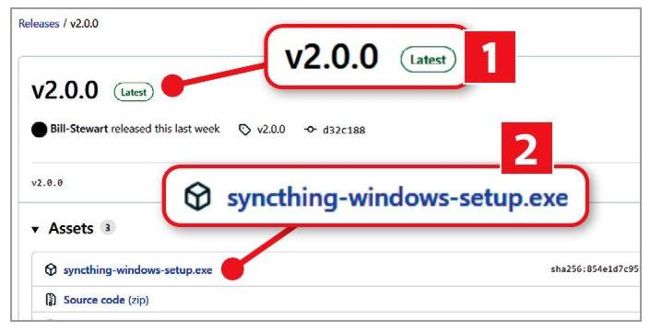
Click ‘syncthing-windows-setup.exe’ to download the Syncthing installer
Hosting your own sync service at home cuts out the online stage, and instead shares the files directly from one machine to another. And because you’re using your own hardware, the only limit to what you can share is the available free space on the drives you’re syncing.