COVER FEATURE
BIN YOUR SIM CARD
Physical SIM cards are fiddly to insert, restrictive to use and susceptible to theft. Robert Irvine explains why switching your phone to an eSIM is easier,cheaper and smarter
The SIM is an essential element of any mobile phone, letting you make calls, send texts and – on smartphones – access the internet. Over the years, the size of SIM cards has shrunk to mini, then micro then nano, but you can now avoid using one at all. The growing popularity of eSIM technology gives you a more convenient and flexible way to connect to a mobile network. An eSIM, or embedded SIM, is a small chip soldered directly on to the motherboard of your phone.
Although the chip is physical, the eSIM works digitally by downloading and storing your network profile. This contains your phone number, authentication keys and network settings, which is the same data stored on a physical SIM card.
WHAT YOU CAN DO
• Check if your phone is compatible with eSIMs
• Switch to a new mobile network in a few minutes
• Find the cheapest deals on eSIM mobile plans
• Pay less for internet access when you’re on overseas trips
• Convert your physical SIM card into an eSIM
• Transfer your phone number to an eSIM in a new phone
Unlike a traditional SIM, the eSIM can be reprogrammed with new network information, so you don’t need to remove it to change provider or plan. The technology is standardised by the GSM Association (GSMA, www. gsma.com), which ensures only companies with GSMA-certified servers can send eSIM profiles to your phone.
In this feature, we explore the benefits of ditching your SIM card for an eSIM and explain how to do so. We also reveal which devices and mobile networks now support eSIMs, and why you should use a travel eSIM on your next holiday.
WHY YOU SHOULD SWITCH TO AN eSIM
Faster to set up than physical SIMs
When you order a new or replacement SIM card from a mobile network, you have to wait a day or two for it to arrive. You then need to remove the old SIM from your phone and insert the new one. This can prove fiddly if you can’t get the card tray to pop out using a SIM-eject tool (see photo right) or paperclip, or if you drop the tiny nano SIM in the process.
With eSIMs there’s no waiting time or physical card to insert. You simply scan a QR code with your phone’s camera, enter details manually or use your network provider’s app, to activate your new mobile plan in minutes.
We provide full instructions for setting up an eSIM on page 56, whether you’re requesting a new one from a mobile provider or want to convert your existing SIM.
Switch between multiple networks
Although dual-SIM phones let you insert two SIM cards to switch between two phone numbers, eSIMs offer much greater flexibility and convenience. Because an eSIM is digital, you can store multiple eSIM profiles on your phones – up to eight on many devices.
These can all use different networks with different numbers, which you can switch between as required – though only one eSIM number can be active at a time. If you own a dual-SIM phone, you can use an eSIM in tandem with a standard SIM, and have two active numbers with separate data and calling plans.
That’s one reason eSIMs have become so popular with travellers, allowing them to use mobile internet abroad while keeping their home number – and all without having to swap SIMs.
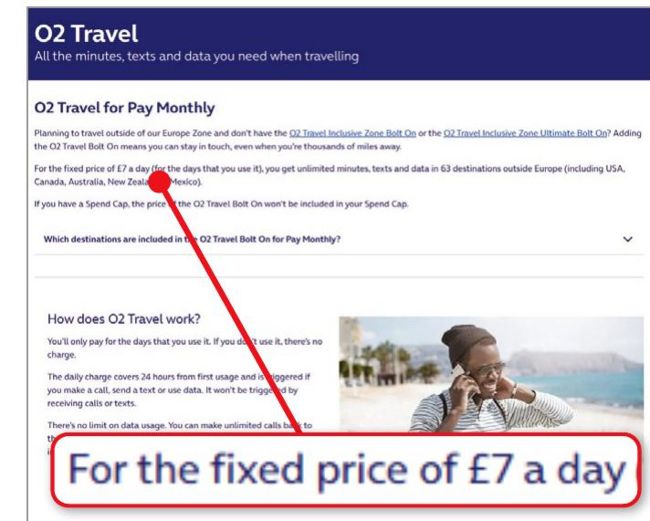
A travel eSIM will help you avoid paying high prices for data roaming when abroad
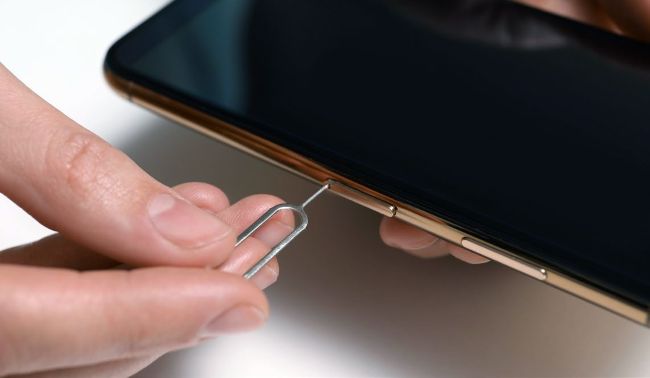
eSIMs spare you the fiddly business of swapping physical SIM cards
Save money on roaming fees
The other reason travellers love eSIMs is that it cuts the cost of using the internet while abroad. As we explained in our ‘Don’t pay for mobile roaming’ feature in Issue 712 (page 60), the roaming policies of UK mobile networks can be expensive and confusing – especially when travelling outside Europe - and typically require buying a travel add-on or pass. For example, an O2 Travel ‘bolt on’ (pictured below left) costs £7 a day. If you exceed your data allowance, you’ll face a hefty bill when you return from your holiday.