Answers
Got a burning question about open source or the kernel? Whatever your level, email it to lxf.answers@futurenet.com
Neil Bothwick takes two Tuxes into the bathroom, as they’re penguins.
Q
Where is the program?
I read about
PDF Mix Tool
in LXF281. This is something that I have always wanted to have, so I downloaded the file pdfmixtool-master.tar.gz and then extracted it as pdfmixtool-master. This is a directory containing some files.
My problem now is, how do I start the program? I am baffled.
Bryan Mitchell
A The file you downloaded is the source code from the project’s GitLab repository. All open source software is distributed in this way, although much of
it is also built into packages by the distro maintainers. The steps for installing from source can vary, although there are standard ways of doing it. There is normally a README or INSTALL file within the files you unpacked that contains instructions for compiling and installing the software. In the case of PDF Mix Tool, it uses the CMake build system. The first step is to make sure you have CMake installed – check in your package manager. While you are there, also see that you have Qt, Qpdf and Imagemagick installed, these are needed when building and running PDF Mix Tool. Now open a terminal and change to the directory containing the files you unpacked and run these commands to build the software. $ mkdir build $ cd build $ cmake
.. -DCMAKE_INSTALL_PREFIX=/ usr/local -DCMAKE_BUILD_ TYPE=Release $ make
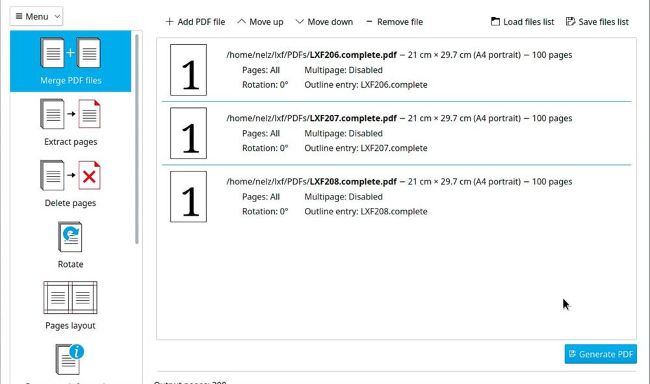
Many Linux programs are supplied only as source code, but compiling them is nowhere as tricky as it sounds.
Once this has run, you will find the executable file in the build/bin directory. This is good for temporary testing, but if you want to make it permanently available, you can install it with $ sudo make install When the compilation is carried out as your normal user, all files are written to the build directory so no special permissions are needed. But installing to the system directories requires root permissions, hence the use of sudo.
This approach, or something similar, works with the vast majority of open source software out there and it becomes quite straightforward once you have done it a couple of times. In the case of PDF Mix Tool, there are other options as it has been packaged in Flatpak and Snap formats.