Your first month with a 3D printer
3D PRINTING
Some things aren’t in the manual, which is why 3D-printing autodidact Beth Nicholls is here to share what she’s learned!
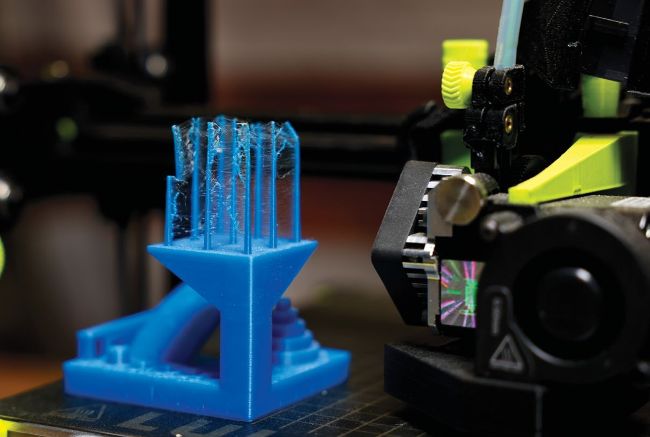
The Autodesk benchmark is a way of testing how good your printer really is.
Having recently entered the world of 3D printing, this writer has found that the last few weeks have been a researching gold mine. After only three weeks since buying her first beginner 3D printer (after being tempted by a deal on TechRadar), it feels like we’re getting to grips with how these machines work.
However, there are a few things that we’d wish we’d known sooner!
So, we’ve put a few of our hard-earned top tips here, for anyone looking to buy a 3D printer some time this year. We do have a small confession, though. While we did initially consider an Anycubic, we changed our mind the next day and placed one from the Creality range plumping for the Ender-3 V3 SE instead. After scouring reviews, we felt that for the price this machine was a little better suited to the builds we wanted to make, with better Linux support, and decent printing speeds, too. It’s a good lesson for those planning on buying a printer – it can be hard to narrow down exactly what you might need from it.
Anyhow, with that off our conscience, let’s get into the things nobody really prepares you for when getting into 3D printing, and some hot tips we’ve learned during our first few weeks with our new 3D printer ideal for the beginner 3D printer.
OUR EXPERT
Beth Nicholls has a master’s degree in photography, and worked as a tester for CeX, which let her play around with all kinds of weird and wonderful products, including robots. She’s recently got into 3D printing.
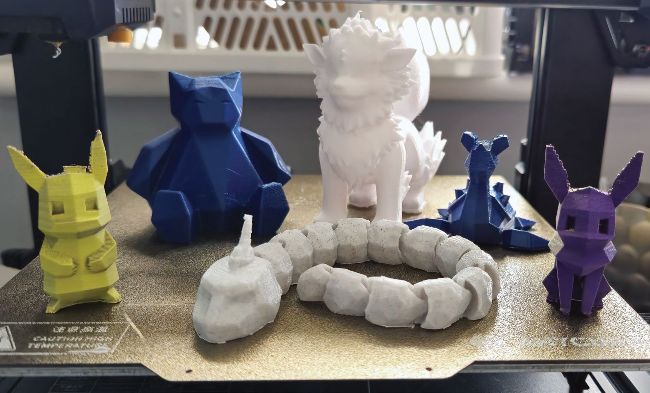
You can also create your very own 3D-printed Pokémon!
1. Slicing and code
Not all 3D printers operate the same way, some models do not work well with STL (stereolithography) files – which we found out the hard way. Basically, when you’re searching for an open source file to 3D-print from, using the likes of Thingiverse or Printables, these usually take the form of an STL file, which is a 3D model file and not often printable on its own.
When using a 3D printer, G-code is the standard language and preferred file type for most 3D printers, used to instruct the printer about precisely what you want it to do involving the extruder heat, nozzle and printing areas. Thankfully, it’s super-easy to convert STL model files into printable G-code format using what is known as a slicing process, or using slicer software. Our Ender-3 V3 SE came with Creality Print slicing software on the included microSD card, also known as Fused Deposition Modelling Slicer.