Linux distribution
Linux Mint 2 1.1 Vera
Nate Drake meets Linux Mint’s latest offering, code-named Vera, and comes away bowled over by its stunning looks and ease of use.
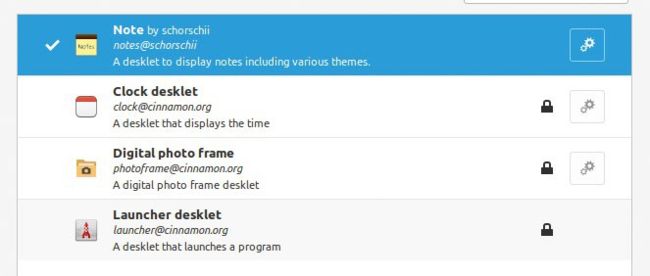
Customise your desktop further using Desklets, such as Note. Click Download to see those developed by the Linux Mint community.
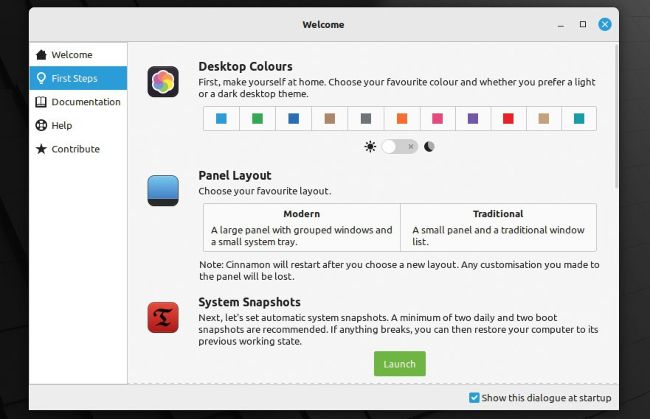
Get started by selecting your own vibrant desktop colours and panel layout. There’s also a huge number of desktop backgrounds to choose from.
IN BRIEF
Starting as an Ubuntu spin-off, Mint has grown and matured with its own desktop direction and suite of easy-to-use system tools.
SPECS
CPU: 64-bit (single-core) 2GHz Mem: 2GB (4GB recommended) HDD: 20GB (100GB recommended) Builds: x86_64
Unless you’ve been living under a rock these past 15 years, you’ll almost certainly have heard of Linux Mint. The OS is based on Ubuntu (in the case of this release, Ubuntu 22.04 LTS), meaning you have access to almost all Ubuntu applications out of the box.
“Out of the box” should perhaps be the tagline for Linux Mint, as the developers have placed a real focus on ease of setup and deployment for desktop users. Mint comes bundled with the ability to play almost all media formats. Traditionally, this has included proprietary software such as Adobe Flash Player but FOSS enthusiasts can take comfort in the fact that the Mint installer now offers these on an opt-in basis.