Hot Picks
Immich
THE BEST NEW OPEN SOURCE SOFTWARE ON THE PLANET
Immich » G4Music » Cavasik »Footage »Login Manager »Settings »Gear Lever »Nala Alien Arena »Cartridges »Cubic »Filelight

Mayank Sharma
rediscovered his old music collection and says that playing Robbie Williams in the background helped inspire this intro, if not the software selection.
PHOTO STORAGE
Version: 1.65.0 Web: https://immich.app
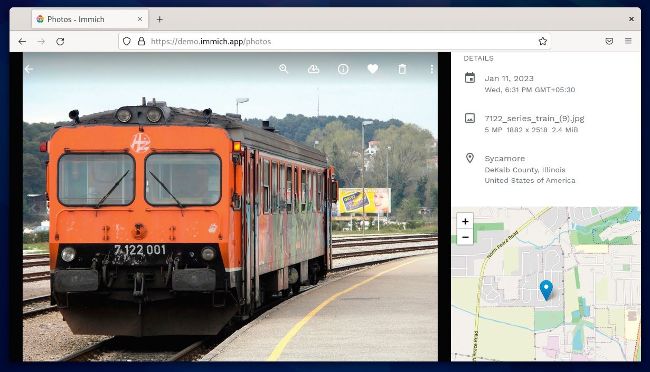
If you love the convenience of Google Photos, but aren’t really comfortable placing your I pictures in the hands of a third party, you have to give Immich a go. It’s a self-hosted photo storage and sharing service that’s pretty similar to the popular proprietary service, with both its intuitive web interface, and mobile app.
Immich is deployed as a Docker container, so you need to install Docker and the Docker Compose orchestration tool before you set up Immich. This shouldn’t be an issue as all major distros have detailed instructions on installing Docker and Docker Compose.
You also need to make sure the computer you are setting Immich up on has at least 4GB of RAM, plus a dual-core CPU for an acceptable level of performance.
To ease the installation process, instead of manually using Docker Compose to deploy Immich, you can use the experimental script (that worked flawlessly in our test) to do the heavy lifting for you:
$ curl -o- https://raw.githubusercontent.com/immich-app/immich/main/install.sh | bash
The command creates a directory named immichdata under the current directory and downloads and sets up your Immich instance automatically. The process might take some time depending on the resources at its disposal.
When it’s done, it spits out the URL where you can access the Immich instance. For instance, if the IP address of the machine you’ve set Immich up on is 10.0.2.15, you can access your Immich web service at http://10.0.2.15:2283.
On initial login, you’re asked to create an admin user. Later on you can use the admin user to add other users with restricted access to your Immich installation from under the Administration section. The default password for non-administrative users is password, which the users can change after logging in to the app. After setting up the server, you can grab Immich’s mobile app, available for both Android and iOS devices.
Immich’s mobile app has an option to help you automatically back up the gallery from your mobile device into your Immich server.
LET’S EXPLORE IMMICH...
1 Explore your media
In addition to viewing your media, you can browse through your library using tools such as facial recognition and location data.
2 Search
Immich uses the Typesens search engine, which supports natural language processing to return accurate and relevant results.
3 Timeline
Use the timeline to quickly scroll through your library.
4 Administer the installation
Head to the Administration section to tweak your installation by adding more users and altering some essential settings.
5 Share
You can share your photos and videos with people in your network by creating shared albums, which can optionally be set to auto expire.
MUSIC PLAYER
G4Music
Version: 2.3 Web: https://gitlab. gnome.org/neithern/g4music
Old-school music aficionados like us have disks full of music that can often choke popular music players. If you, too, have a large library of music, what you need is a simple, straightforward client like G4Music that’ll hum through the library without bothering with playlists or any curation.