3DS MAX | V-RAY | PHOENIX FD | PHOTOSHOP
MAKE AN ELEGANT FOUNTAIN WITH THE PHOENIX FD PLUGIN
Set up a flowing water simulation using Phoenix FD for 3ds Max and enhance your outdoor scenes
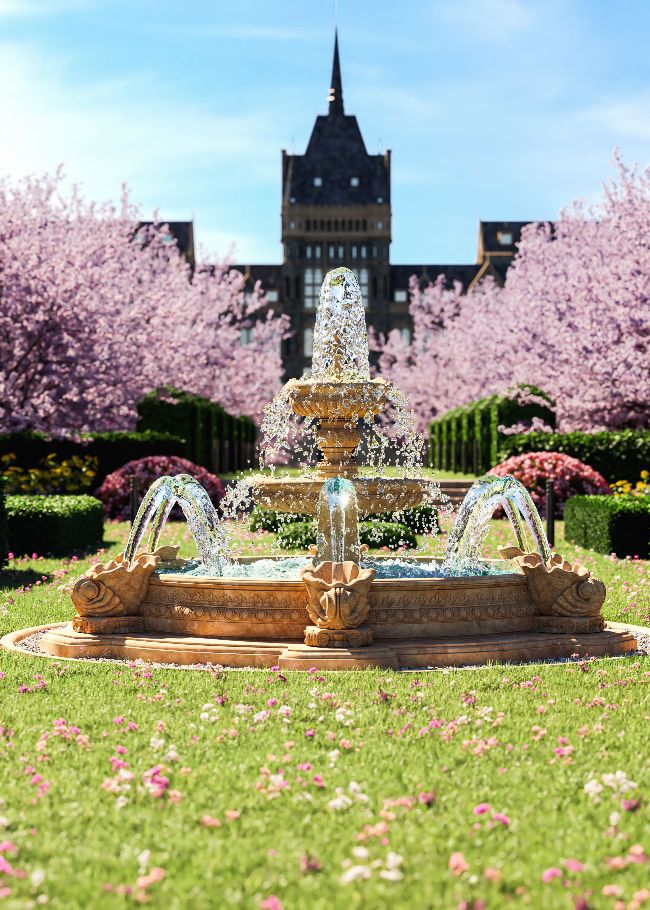
Make an elegant fountain
AUTHOR
Shayan Shamlou
I am working as an architecture visualizer, CG artist, and tutor in this field. My passion is working hard and learning more about the 3D world.
instagram.com/shayanshamlou
Fountains are an attractive addition to public areas, gardens or large courtyards, and in this tutorial we’ll learn how to create one for our 3D scenes. First, we are going to enter the model into the software, and then we will undertake the materialisation, construction and preparation of the model. Next we will build the volumes through which water needs to be thrown up or down.
The next step will be to enter into Phoenix FD and start simulating water. Finally, we will examine how to achieve a successful output from this plugin and render from the fountains in two modes.