CODING ACADEMY Breakout
Blast apart classic Breakout gaming code
PYGAME
Matt Holder discovers that rewriting a classic game isn’t as simple as he first thought, so he has plenty of tips to ease the process.
Credit: www.pygame.org
Part two!
Don’t miss next issue, subscribe on page 16!
OUR EXPERT
Matt Holder has worked in IT support for over a decade, and always tries to utilise Linux alongside the other installed systems.
We’re continuing our recreation of the classic game of Breakout. In this game, the player W controls a paddle, which is moved across the screen, left and right, so that a ball can be bounced between the paddle and a number of bricks that are rendered on the screen. The collisions between the ball and the bricks causes damage, and bricks can then be destroyed. The game contains a number of power options, such as speeding up the ball, creating extra balls, creating an extra paddle, and a laser, which fires laser pulses at the bricks, which then causes them to disintegrate.
Part one of the article, LXF306, described the basic mechanics and explained the majority of the classes that are being used to describe the various objects. In this part of the article, we are creating the in-game logic, which is used to detect keypresses and move the paddle. The source code of the game is available on GitHub, and as well as following along with the article, this commented code is required to get the game to function as intended. The following code sample shows an extract from the Bricks.py file:
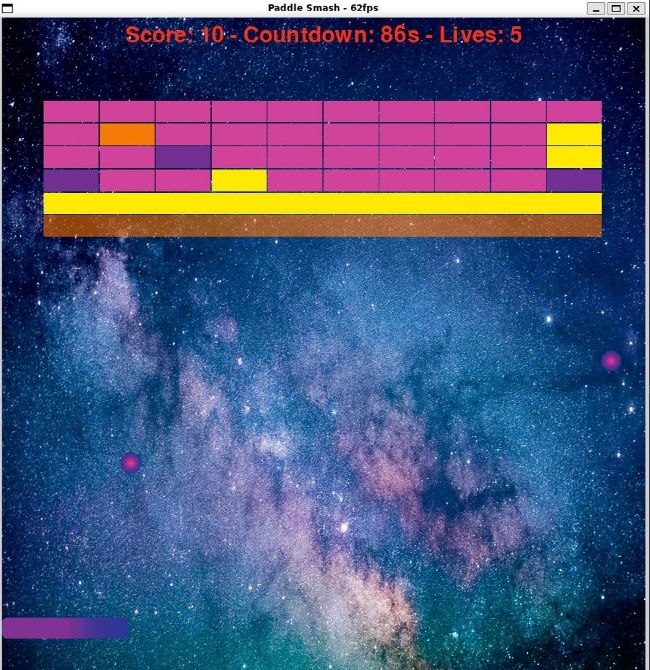
The recreated game is called Paddle Smash and can be seen here.
QUICK TIP
The code for the recreated game can be found at https://github. com/matt mole/LXF PaddleSmash
In this code sample, we import any necessary libraries before defining a new class, which inherits from the BaseSprite class. This time, extra variables required are related to the number of collisions necessary to destroy the brick, how many collisions are remaining, and when the power value has been used. Next in the sample, we have a number of getters and setters to return and set variables from outside of the initialisation function. We then have a function that we call when a brick is collided with. This allows for the brick to be destroyed when the required number of collisions has been met. Finally, we have a function that is used to set the alpha of our bricks, so that for each collision it becomes more and more translucent.