Office
LibreOffice 7.5
When it comes to traditional office duties, LibreOffice covers all bases.
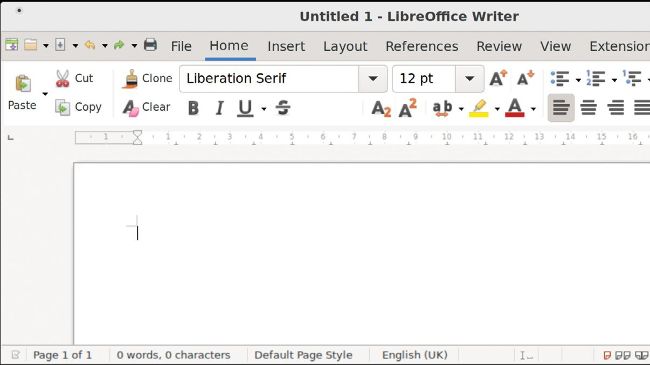
The modern ribbon interface only displays tools relevant to the current task.
As it’s an office suite, LibreOffice is actually several pieces of software. Like most of the A LibreOffice modules, LibreOffice Writer has all of the core features that most business users need. This word processor is fully-featured and takes inspiration for its user interface from traditional GUI word processors, meaning that it will feel familiar to nearly every computer user as soon as they first encounter the program.
Having said that, it does have a more modern, ribbon based interface that is disabled by default. To enable the ribbon, visit the pop-up user interface menu (View > User interface). So, how does the ribbon operate? There’s a tab along the top of the ribbon area that divides the user interface elements into several categories. For instance, the Home category gathers together the usual formatting features. You can even decide whether to enable the ribbon for just the current module or throughout all areas of the suite.