Level up your apps!
Amazing alternatives to the apps you use every day
Written by Phil King
Image credit: Apple Inc
Still using the default apps that came with your Mac? It’s time you gave these awesome alternatives a go instead. While the bundled apps in macOS cover quite a few bases, and are fully integrated into the Apple ecosystem, there’s a whole range of third-party apps that go way beyond what they can do. With one exception, the apps included here do cost money, but we think they’re well worth considering for their advanced feature sets, especially for professionals and committed hobbyists.
First, we take a look at video- and photo-editing apps to replace iMovie and Photos respectively. If you’re serious about your film-making and/or photography, you’ll definitely want to check the apps chosen here for their advanced editing tools that enable extra precision and control.
Next, we visit the office to explore alternatives to Apple’s iWork bundle and other pre-installed productivity apps such as Mail and Calendar. By upgrading your work tools, you could well become more productive.
For your downtime, we also have some entertainment-based apps to improve your viewing, listening and reading experience. Finally, we look at creative apps for music-making and design. So let’s unlock your Mac’s power with these upgraded apps!
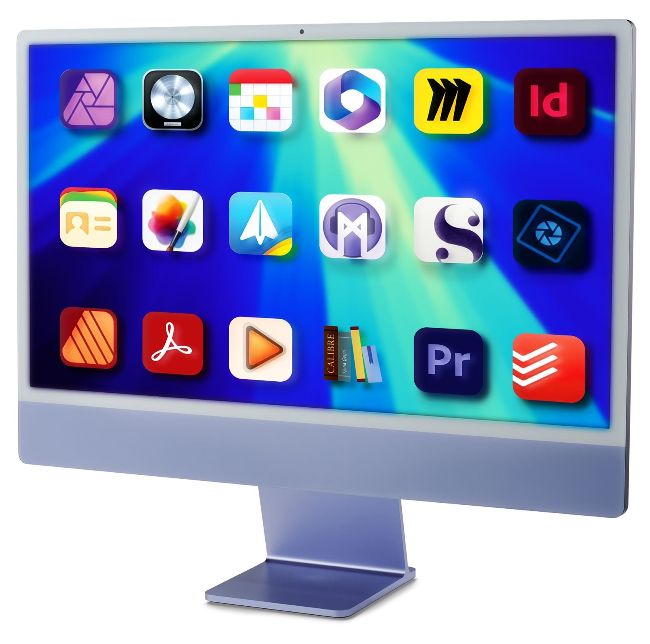
Image credits: Apple Inc, Serif (Europe) Ltd, Flexibits Inc, Microsoft, Miro, Adobe Inc, Pixelmator Team, Spark Mail Ltd, Grant Davis Interactive LLC, Literature & Latte Ltd, Electronic Team Inc, Kovid Goyal, Doist Inc
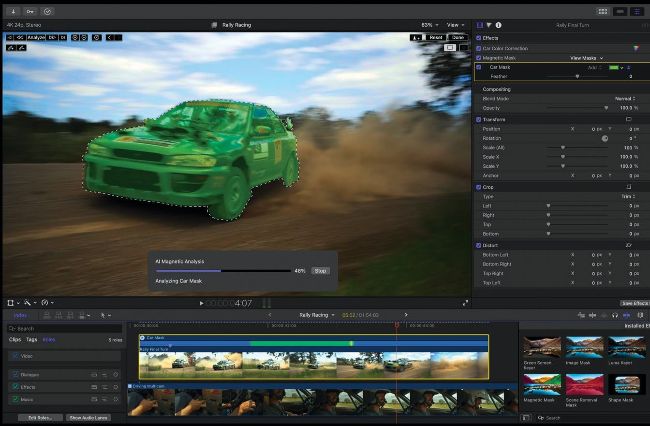
Final Cut Pro takes you to the next level for post production work on video footage.
Video editing
Add extra polish to your videos
Final Cut Pro
Alternative to iMovie
> £299.99 > FROM apple.com/uk
> FEATURES Advanced tools, large range of effects, high-res format support
Easy to get to grips with, iMovie is ideal for beginners and casual hobbyists who want to combine video clips. It’s a relatively simple tool for making basic cuts and adding titles, sounds and transitions to create reasonably polished-looking results. However, more serious hobbyist filmmakers should consider upgrading to something more capable.
Among the many contenders, Apple’s own Final Cut Pro is one of the very best options, powerful enough to be used by those working in professional postproduction. While the price is pretty hefty, it’s a one-off purchase with free automatic updates.
What you get for your money is an extensive set of professional tools that enable more complex and intricate edits. For starters, there are more than 200 customisable video effects to play around with, along with over 100 audio effects that allow for complex layering. You can even import your own effects if needed, and make use of third-party plug-ins which work seamlessly within the app.
Multi-camera editing
One standout key feature is multi-camera editing. After shooting a scene with multiple cameras, Final Cut Pro will combine the footage and audio into a synced Multicam clip with which you can easily cut from one camera angle to another. Other notable features include advanced tools for green-screen editing and colour grading, along with smart artificial intelligence (AI)-powered effects and support for 360° VR content and high-resolution formats.