ASK
TECH SUPPORT & TECHSPLANATIONS
EXPERT ADVICE
Our resident genius solves your Mac and iOS problems
Email Mac|Life at ask@maclife.com
Get official documentation at support.apple.com| Get help with hardware at support.apple.com/repair
Living in strange times
DESPITE BEING PROPOSED as an international standard in 1884, we still haven’t accepted the 24–hour clock. If you’re American or British, you’ll probably prefer AM and PM; if you’re European, then you’ll want 24 straight hours each day.
Internally computers keep 24–hour time then let the user choose how to express it. Set your Mac to English (US) and Big Sur’s Dock & Menu Bar pane gives a choice for the clock in your menu bar.
This works differently in English (UK): the time format can only be changed in the Language & Region pane.
Internal oddities have been appearing since the macOS 11.2 update, with some apps now misbehaving because Apple changed the formatting of time to match that in iOS. Don’t be shocked if time seems out of joint, as that may even break some apps.
> Exploding backups
Why are my Time Machine backups often so huge when there are only a few files to be backed up? The backups can take many gigabytes on my HFS+ backup disk.
This commonly occurs in two situations, both of which you can address. It may be that some of those files are huge, perhaps being virtual machine (VM) files for virtualization software like Parallels. If that’s the case, add the folder containing them to the list of exclusions using the Options button in Time Machine. As they change each time you use the VM, they’ll rapidly fill your backups otherwise. The other problem occurs when your Mac is backing up from an APFS disk to backups stored on an HFS+ disk. APFS can store sparse files, whose content is mostly empty, in highly compact form. As HFS+ doesn’t support the new file format, they have to be expanded to full size to be added to your backup. A few megabytes of file can then explode to several gigabytes.
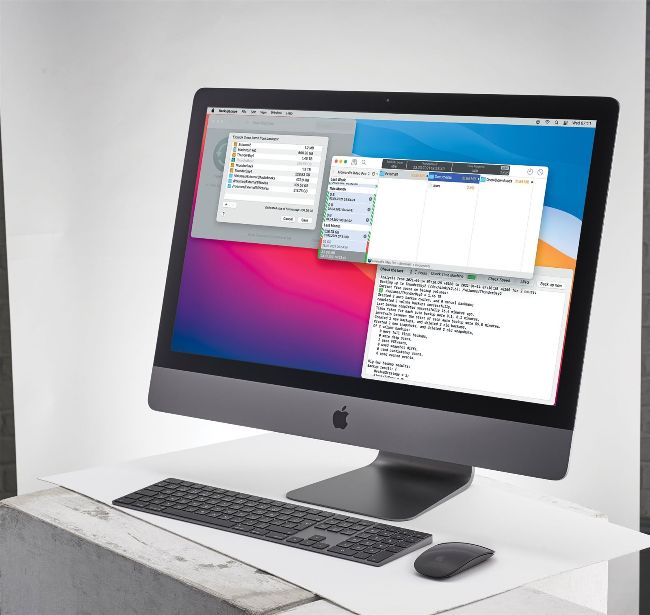
BackupLoupe and T2M2 can reveal excessively large backups, which you can then also add to your Time Machine’s list of exclusions.
In this case, the best solution, if you can’t exclude them, is to change to Big Sur’s new option of making Time Machine backups to APFS. To do that, you’ll need to be running macOS 11, and create a new series of backups on a fresh disk which Time Machine can format in its special variant of APFS.