Problems Solved
Our experts solve all your tech problems
Email us your problem and we’ll try to help: noproblem@computeractive.co.uk
PROBLEM OF THE FORTNIGHT
What’s this mystery Bluetooth connection?
Q When I was adding a new Bluetooth device to my Android phone recently, I noticed an entry I didn’t recognise. It was labelled ‘BLESmart_’, followed by a series of random numbers. I tapped the cog icon next to it, but it didn’t tell me anything more.
I imagine it’s something I’ve added in the past so I’m not too worried, but how on earth am I meant to know what it is without switching on every Bluetooth device I own (or have ever owned, for that matter)? I don’t want to delete it in case it’s connected to something I need, even if it’s only occasionally. Any ideas?
Derek Martham
A What you describe is something of a weakness of the Bluetooth standard, though much of the blame lies with manufacturers, who are largely responsible for the names and labels you see on these configuration screens. A connection with a label that starts ‘BLESmart_’ almost certainly indicates a Bluetooth LE smart device. However, it could be almost anything, from a pair of headphones or a smart bulb to a set of Bluetooth bathroom scales.
There’s no simple universal way to identify it. One approach, though, is to look up the MAC address associated with the entry. This is a unique code built into the radio hardware of wireless devices, and it can often tell you who made it – or at least give you some clues.
Android devices vary, but first launch Settings, then tap ‘Connected devices’ or similar. Next, alongside the mystery device, tap the cog icon and look for an entry such as ‘Bluetooth address’ at the bottom. This will show a string of letters and numbers grouped in pairs and separated by colons – this is the MAC address.
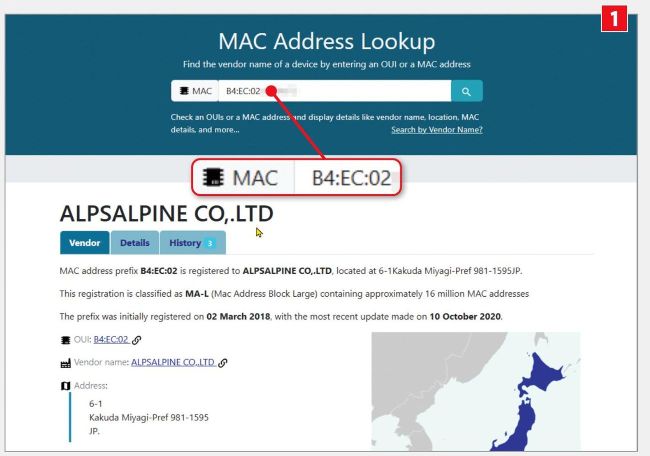
Look up the MAC address online to find out the manufacturer of your device
Make a note of this address and use an online tool, such as https://maclookup. app (see screenshot 1 ), to figure out what the device might be.
It’s the first three-character pairs that reveal the manufacturer’s name, but the mystery might remain unsolved. That’s because many branded Bluetooth products use generic modules churned out by factories in Asia with unfamiliar names. Next then, perform an online search for the company revealed by the MAC look-up tool 2 to figure out which devices might use that manufacturer’s Bluetooth parts.
Finally, there’s usually little risk in deleting an unknown Bluetooth connection. It might cause a small inconvenience down the line, because if you discover that a particular device you use only occasionally is no longer connecting then you’ll need to go through the process of pairing it once again.
If the mystery entry never connects, or you don’t recognise the manufacturer after a MAC look-up, it’s safe to delete it – and then just wait to see if anything in your home stops working.
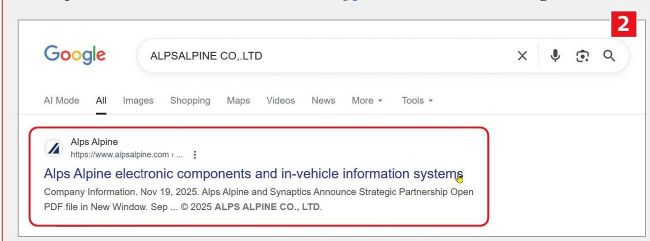
Search for the company to see which devices might use its Bluetooth parts