Photo Answers
Maddened by Manual mode? Got the goat over gimbals? Send your technique and camera questions to digitalcamera@futurenet.com
Andrew James
Andrew is a highly experienced writer and photographer – if you have a problem, he is here to help.
Black-and-white convert
Q Should I shoot black-and-white in-camera or convert it afterwards?
Murray Hall
AI’ve been asked this question a lot over the years. There are two answers, which depend on how keen you are to create the perfect black-and-white image.
All digital cameras have a shooting option that will allow you to capture a black-and-white JPEG, which you may not need to do anything with in post-processing. I say “may not” because I find that most images will benefit from some post-capture work, even if it’s just an increase in contrast.
To me, however, a lot of the quality in a final black-and-white image is created in the post-capture stage, just as it was in the film days in the darkroom. That’s why I shoot raw files that capture all the information I want, then convert the colour raw file into black and white, playing around with colour channels to get the result I want. I do this in Lightroom, but Camera Raw and other raw conversion programs give you similar options; and there are lots of plug-ins that allow you to play around with your black-and-white image.
As I said at the start, you can enhance the look of a black-and-white JPEG, but your options are limited when compared to working on a raw file, and it’s all too easy to reduce the image quality while you’re editing a JPEG.
There’s more to creating a compelling black-and-white photo than simply removing the colour information.

Original raw file
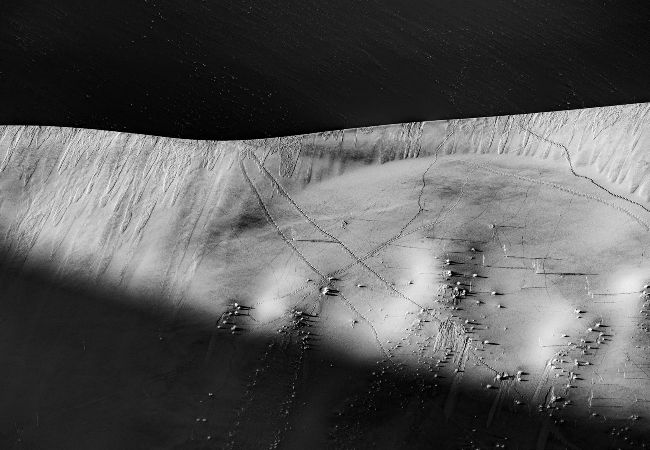
B&W from raw conversion
Andrew James
Tech Check Metering modes
Help your camera find the most accurate exposure for the scene you’re shooting
How does a camera’s meter work?
The built-in light meter reads the amount of light that’s reflecting off the subject as it is shown in the viewfinder; the metering mode you select determines where this reflected light is being read from within that scene.
What different metering modes are there?
The main modes present in most cameras are Matrix, Spot and Centre-Weighted, although they may be called something different, depending on the manufacturer of the camera. For example, Matrix mode is variously referred to as Evaluative or Multi-Pattern, and some camera models offer additional metering modes.
So which mode should I use?
Cameras usually come with their Matrix metering mode set as the default and this is certainly the most useful for everyday scenes in normal conditions. Spot metering is also a useful option for precision metering, for example when you’re taking portraits, but also in other situations where you want to be creative with your exposure.
What’s the difference between Average and Spot metering?
In your camera’s Average metering mode, the light meter takes a reading from lots of different areas within the frame, then averages them all out to give you the required exposure. Spot metering takes a reading from one small area and typically meters just 3% of the whole scene. Traditionally this small area is at the centre but, on some cameras, it can be moved around with the focus point.
Will the camera’s metering always get the exposure correct?
No. It can be tricked by extremes; that’s why looking at the Histogram can help, as well as using exposure compensation to either brighten or darken your image as you prefer.